
How to Withdraw Crypto from KuCoin TH
Withdrawal involves transferring your existing cryptocurrencies from KuCoin TH to other platforms. Withdrawals made within KuCoin TH are labeled as “Internal Transfer”, while withdrawals from KuCoin TH to external blockchains are trackable in detail on the blockchain. Currently, you may initiate withdrawal via Funding and Trading Account.
How to initiate a withdrawal
Withdrawing on the App
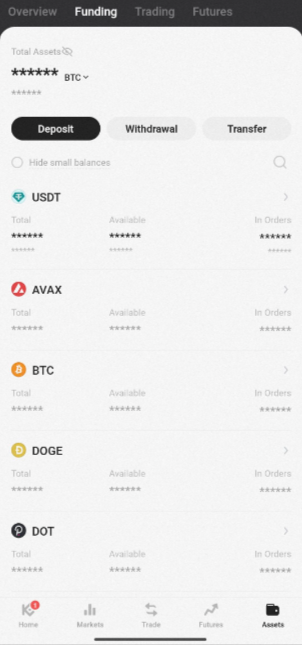
Step 1: Log into the KuCoin TH App, select Assets → Overview → Withdraw.
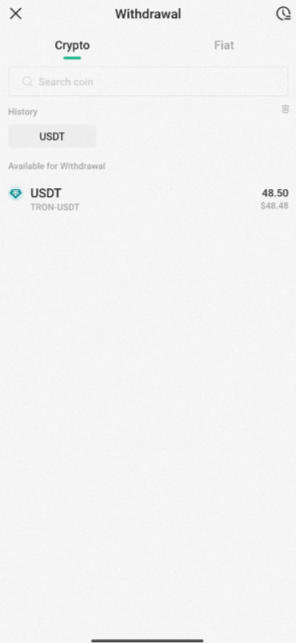
Step 2: Select the Coin you wish to withdraw from the drop-down menu(Example: USDT).
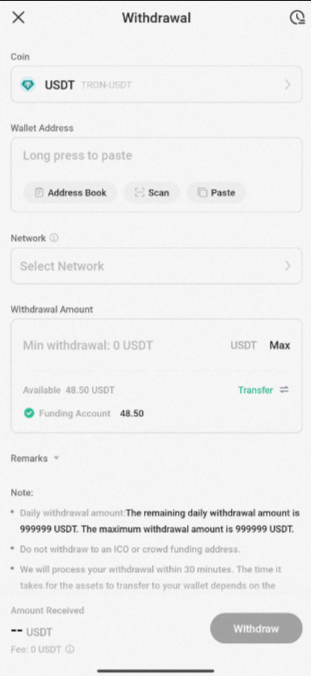
Step 3: Add a Wallet Address, enter the Withdrawal Amount, and select the correct Network, with the remarks field being optional. Check that the address and amount are correct, then hit Confirm.
Step 4: Here, you’ll have a chance to review your withdrawal details once more. Once you’re ready, confirm the withdrawal.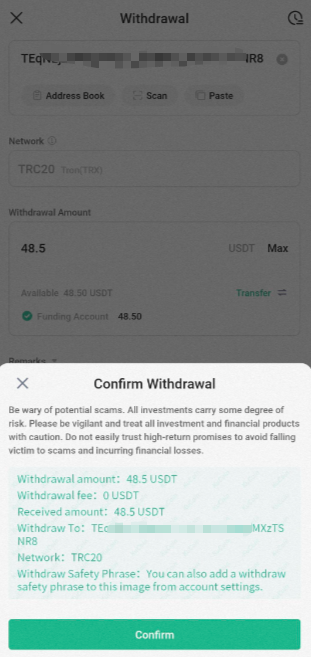
Step 5: Complete security verification by entering the relevant code and hit Submit. Your withdrawal request will then be processed.
Withdrawing on the Web
Step 1: Log into your KuCoin TH account via web. From the navigation bar, select Assets → Overview → Withdraw to enter the withdrawal page.
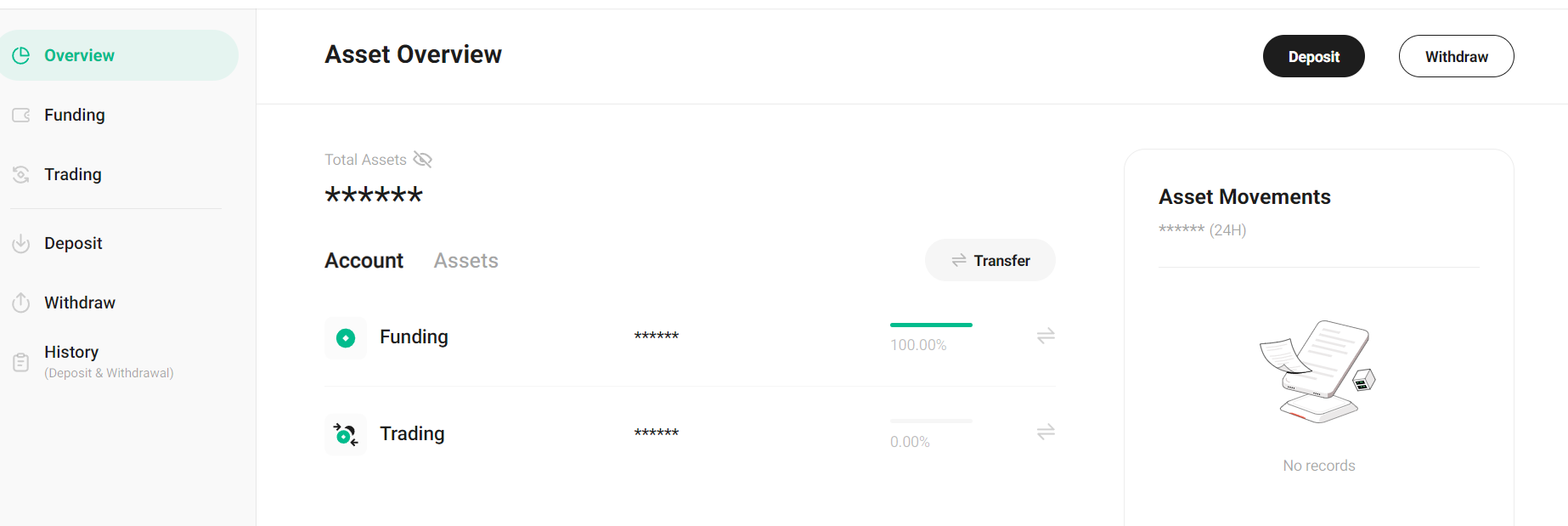
Step 2: From there, select the Coin you wish to withdraw from the drop-down menu(Example: USDT).
Step 3: Once done, add a Wallet Address, enter the Withdrawal Amount, and select the correct Network, with the remarks field being optional. Check that the address and amount are correct, then hit Confirm.
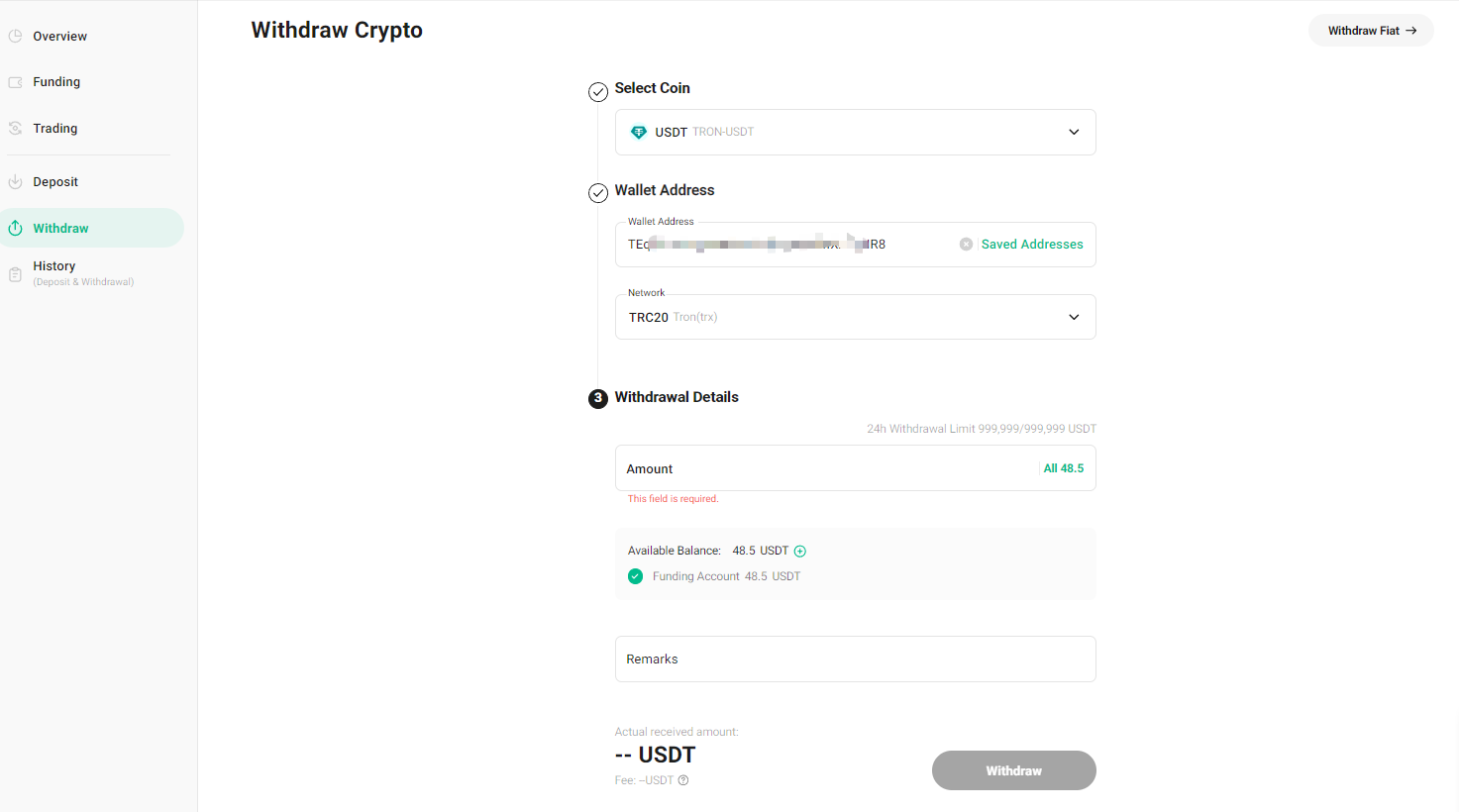
Step 4: Review your withdrawal details once more and Confirm the withdrawal.
Step 5: Complete security verification by entering the relevant code and hit Submit. Your withdrawal request will then be processed.
If you encounter issues with security settings during this process, please refer to the following articles for assistance:
Trading Password
Google 2FA
Cannot Receive Email Code
Important Note:
- To proceed with a withdrawal, you can either inter the recipient’s address manually or select from your saved addresses using the “Frequently Used” icon. You can choose to use the balance from your Funding Account or Trading Account. Review the transaction fees and the final amount you will receive, then hit Withdraw.
- Always check that the selected network works with the address you’ve entered. Based on your cryptocurrency, you’ll see the supported networks and their required network fees for the transaction. If you choose an incompatible network, your funds may be lost and irrecoverable.
- For cryptocurrencies that support multiple chains (such as USDT), the system automatically detects the appropriate chain based on the wallet address provided.
- If you receive an "Invalid Address" error, please check if the address you’ve entered is correct. If you still require further assistance, reach out to our live support team.
- Avoid selecting unsupported networks simply because they have low withdrawal fees. Choose a mainnet compatible with the external withdrawal address to prevent fund loss. Incorrect network selection could lead to unrecoverable funds. For example, KCC tokens can only be sent to other KCC addresses.
- Once a withdrawal request is submitted, the transaction will be confirmed on the blockchain afterwards. Depending on the network and blockchain traffic at the time, the confirmation time will vary. As such, you’ll have to be patient and wait for the transfer to be processed completely.
- On the withdrawal page, you’ll see the minimum withdrawal amount and the fees which will vary specific to each cryptocurrency. The specific withdrawal fees can be viewed by selecting them on the withdrawal interface.
- If you want to withdraw to a KuCoin TH address, you can choose "Internal Transfer". Then there would be no withdrawal fee incurred, neither TxiD generated.
We hope this article has been helpful. If you have any other questions, please reach out to our customer support via online chat or submit a ticket.
Happy trading on KuCoin TH!