
Email Address
To set up a KuCoin TH account, you need to prepare an email address or a phone number. The email address is useful when you try to withdraw, change any other account security settings, or create API, and etc.
Content (Click to navigate)
How to Change Your Email Address
1.How to Bind an Email Address
1.1 Go to Security Settings, find the Email Address under Two-Factor Authentication (2FA), and hit the "Bind" button.
1.2 You’ll be asked to enter a verification code, either Google 2FA code or SMS code.
1.3 On the next page, enter the email address you wish to bind and hit Send Code. The code should then be sent to you via email box. Enter the six-digit code and hit Activate.
Note:
• If you’re trying to use an SMS code as the Security verification, remember to click the Send Code button to request it.
2.How to Change Your Email Address
Scenario 1: You can log in and still have access to your old email.
1. Go to Security Settings, hit the Change button next to Email Address.
2. Complete Security verification, you’ll be asked to enter a verification code sent to you either via text message, Google 2FA, or email.
3. On the next page, enter the new email address you wish bind, then hit Send Code. The code will be sent to your new email address. Enter the six-digit verification code and hit Activate. Email verification codes expire in 60 seconds.
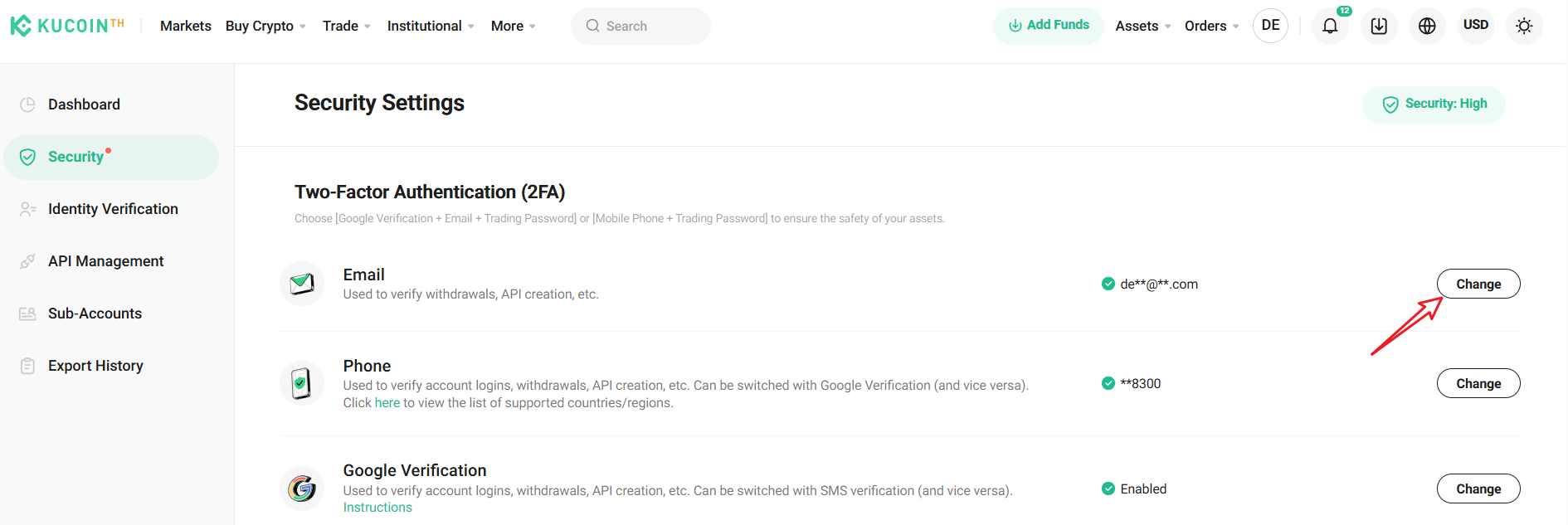
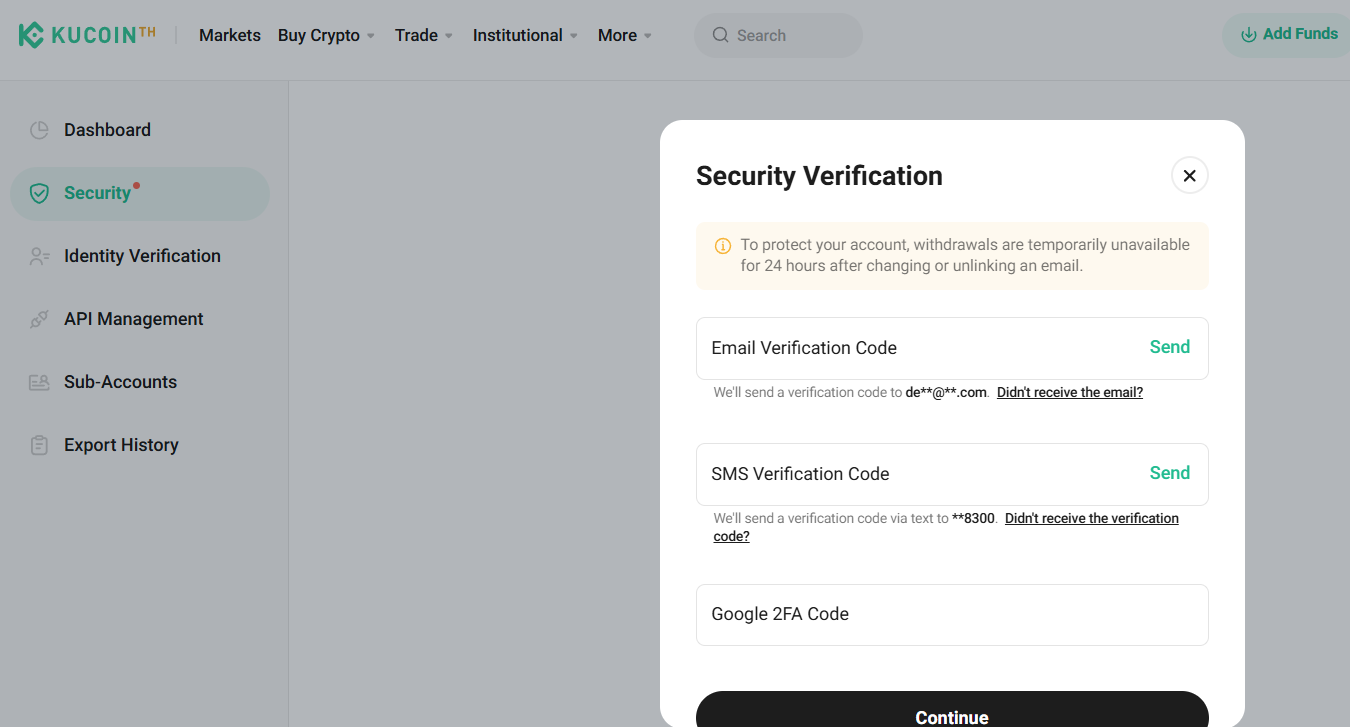
Important note:
• remember to click the Send button to request one.
• Once changed, your new email address is effective immediately.
Scenario 2: You no longer have access to your previous email.
1. Go to https://www.kucoin.th/en/forms/verify
2. Please enter your email and Ticket Number. If you do not have a Ticket Number, kindly enter the Date instead (Ex. 220525)
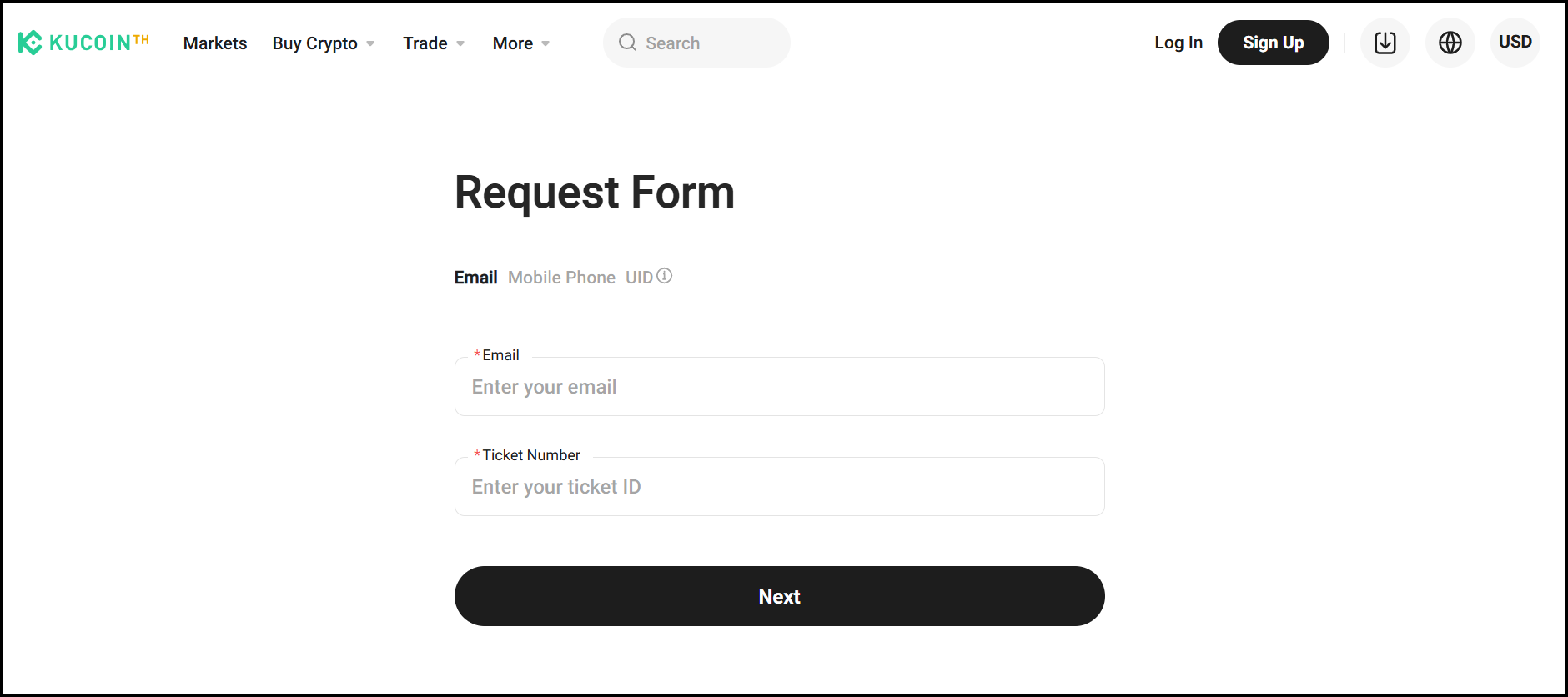
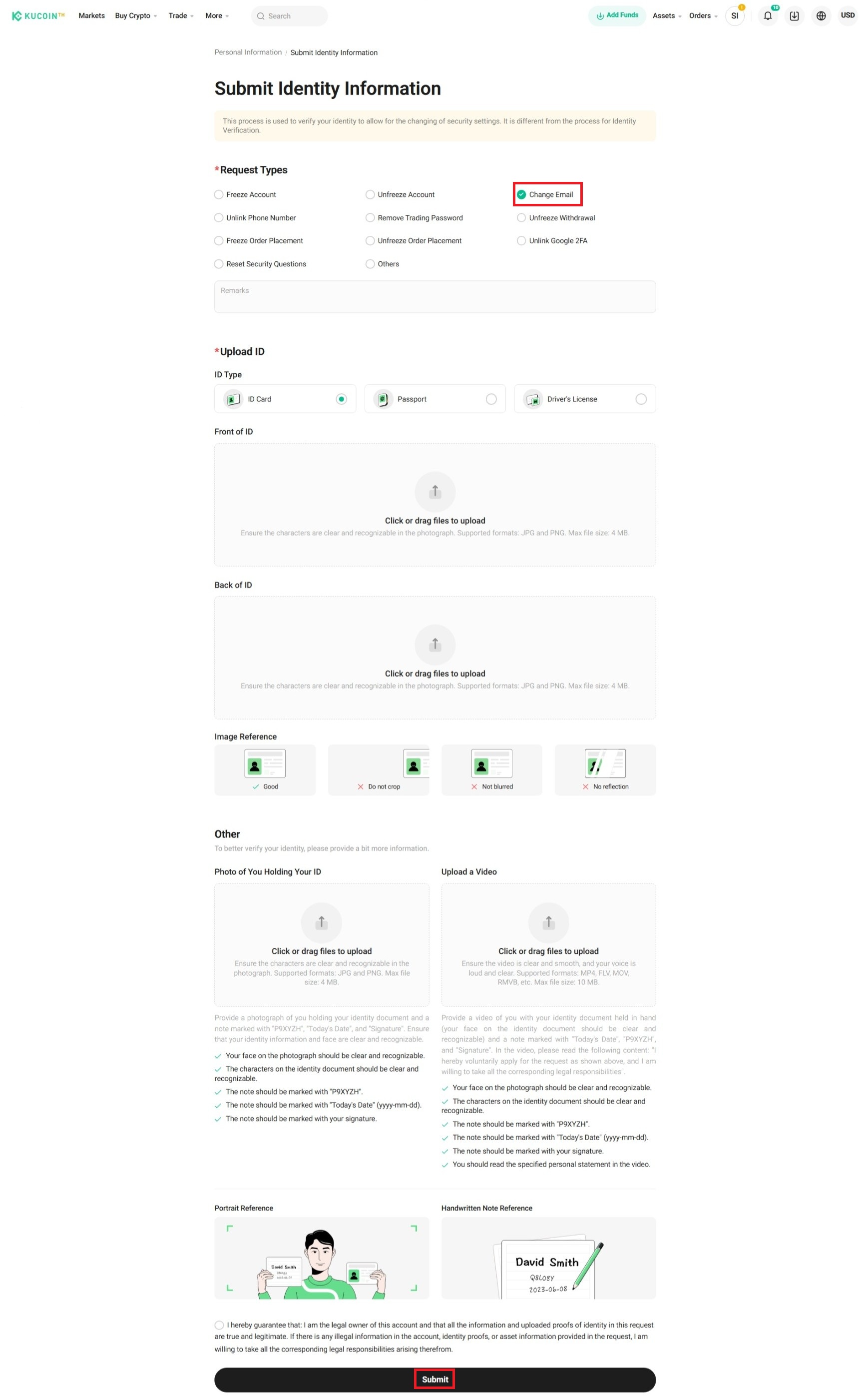
3. Select Request Type, check the option: Change Email
4. Select ID Type
5. Upload Front and Back of ID Card
6. Photo of You Holding Your ID. The photo must include a handwritten note with:
• KuCoin
• Today’s date (DD/MM/YYYY)
• Your signature
7. Confirm and Submit
8. Contact KuCoin TH Happiness Team for verification. Processing takes 1-3 business days.
Note:
• Withdrawal function will be disabled for 24 hours after changing your email address to protect your account security and assets.
• When completing Identity Verification, upload the required photos while following the instructions closely, otherwise your request to unbind your phone may fail.
• Once you’ve appealed, Contact KuCoin TH Happiness Team For verification. Processing takes 1-3 business days.