How to Download Tax Invoice from KuCoin TH
To export your tax invoices from KuCoin TH, please follow the steps below:
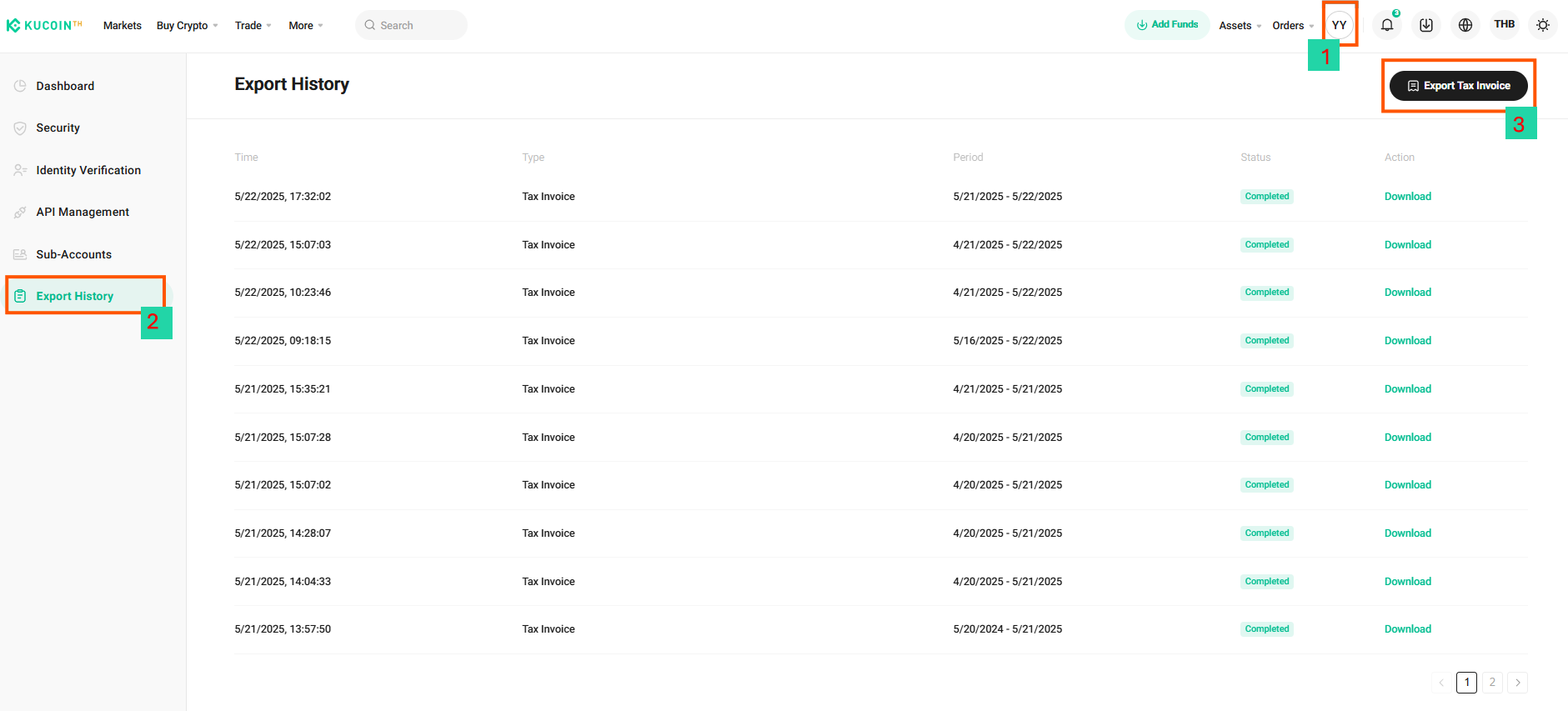
1.Access Your Profile
Click the “Profile” icon located at the top right corner of the homepage.
2.Navigate to Export History
From the profile menu, select "Export History".
3.Select the Tax Invoice Export Option
On the right-hand side of the screen, locate and click on the “Tax Invoice Export” feature.
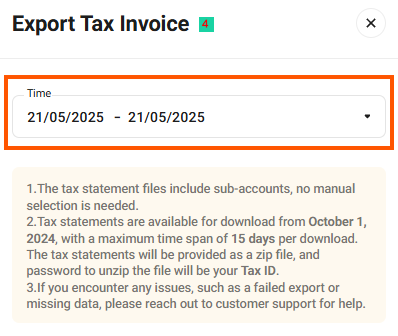
4.Configure Export Settings
A pop-up window titled Export Tax Invoice will appear. Please complete the following steps:
4.1. Select the desired date range for the tax invoice.
**Important Notes:
4.1.1. Tax statements include data from sub-accounts automatically; no manual selection is required.
4.1.2. Tax statements are available starting from October 1, 2024, with a maximum export period of 15 days per request.
4.1.3. To unzip the exported file, you must enter your Tax ID as the password.
4.1.4. If you encounter any issues such as failed exports or missing data, please contact Customer Support for assistance.
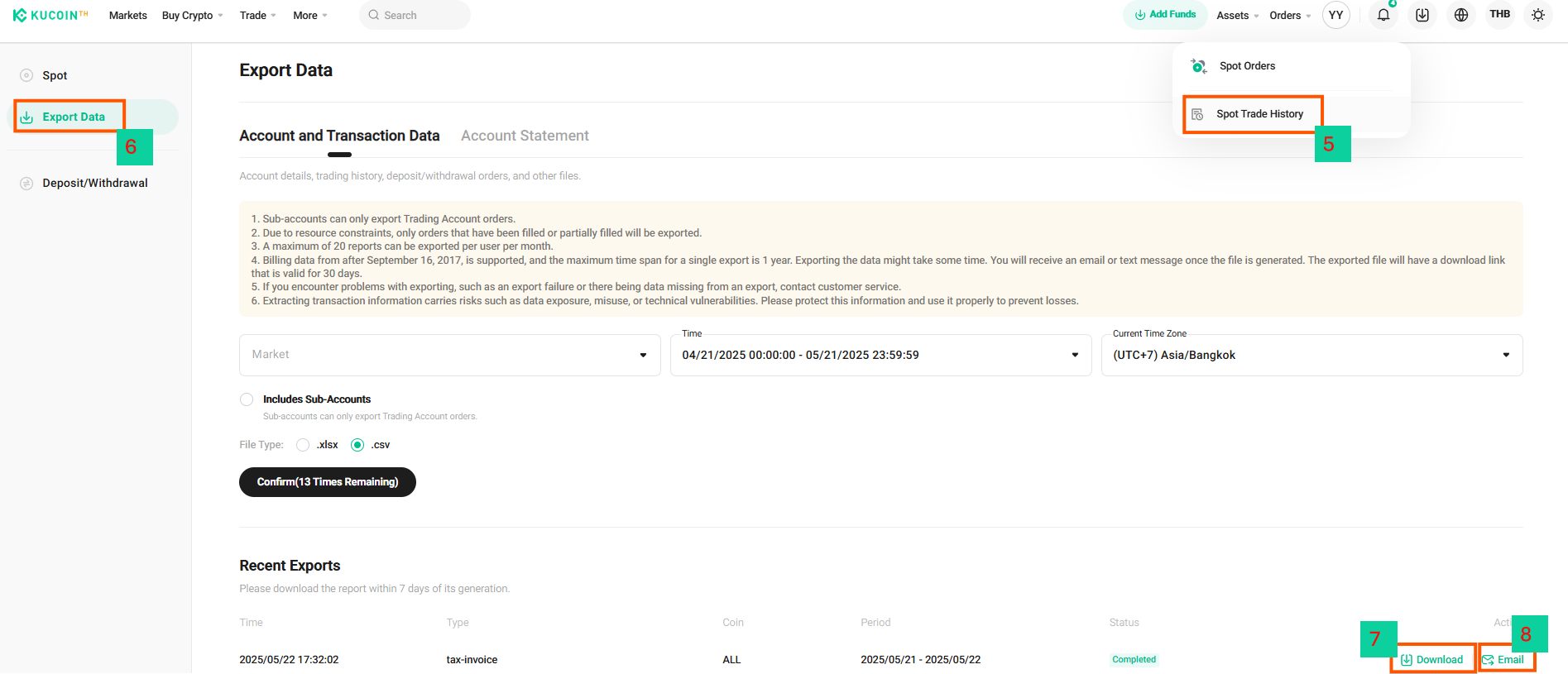
5. Access Your Spot Trade History
Click on the Order tab in the top right corner and select "Spot Trade History".
6. Export Data
Click on the Export Data button to proceed.
7. Download as PDF
Click download to download the document to your device.
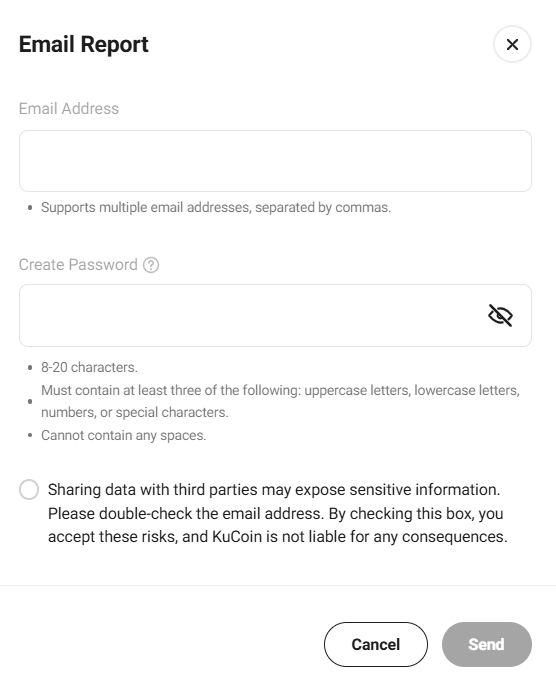
8. Send to Email
Alternatively, select the Send to Email option. A pop-up window will appear where you can:
8.1 Enter the recipient's email address.
8.2 Confirm the request by generating file password
8.3 To send multiple email addresses, separate each address with a comma (,).