How to Download Your Funding & Trading account history from KuCoin TH
To download your Funding&Trading Account History from KuCoin TH, please follow the steps below:
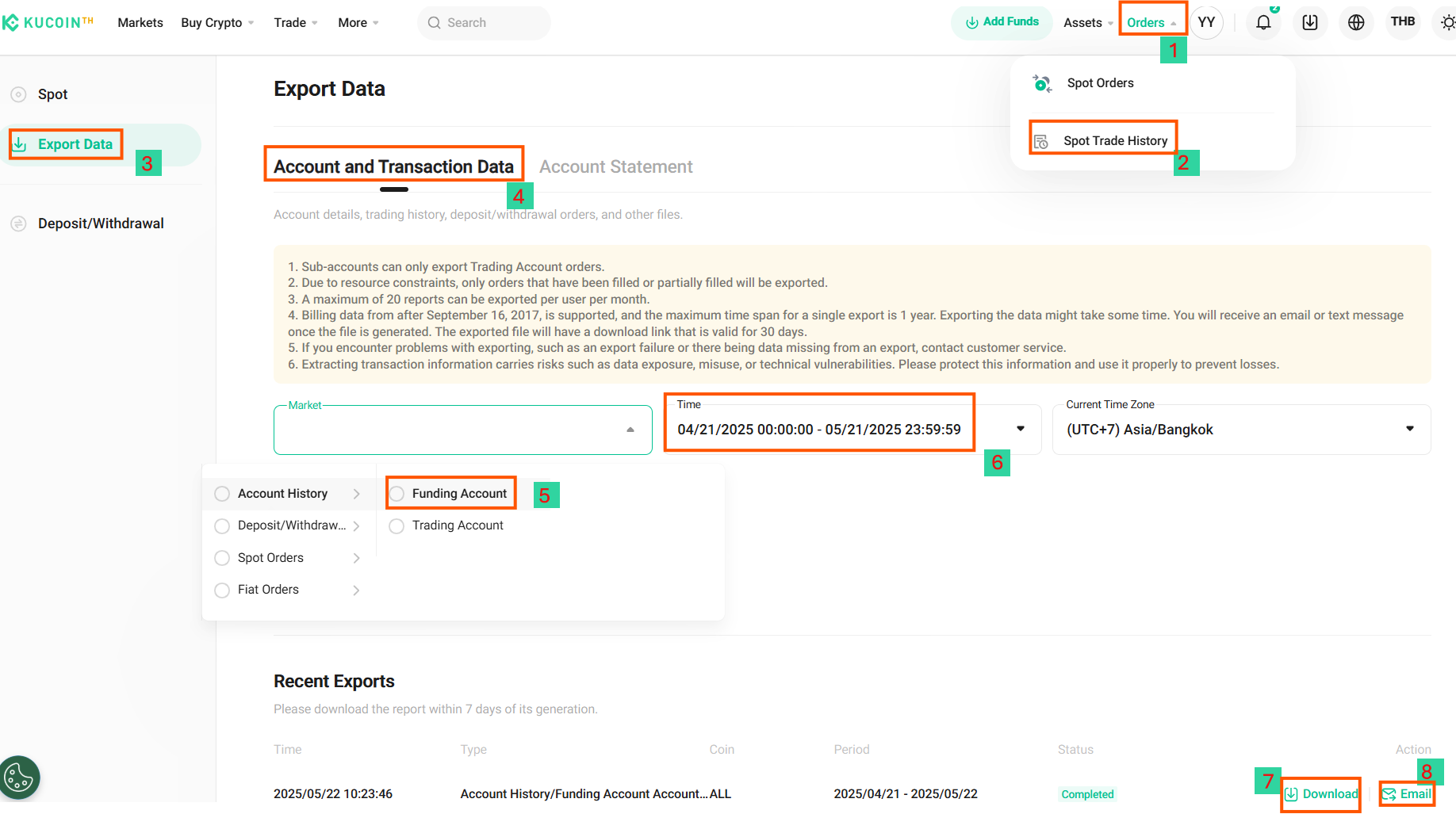
1. Navigate to the Order Section
Go to KuCoin Order Export, then click on the “Order” menu.
2. Select Spot Trade History
From the available options, choose “Spot Trade History.”
3. Initiate Export Process
Click on the “Export Data” button.
4. Choose Account and Transaction Data
In the export options, select “Account and Transaction Data.”
5. Select “Market”
Choose Account History and select Funding Account and Trading Account or select both
6. Select “Time” to specify the particular period
After Selecting time click “Confirm” below to begin the export process. Once ready, options to “Download” or “Send to Email” will appear.
7. Download PDF Option
Click the “download” button to download the document to your device.
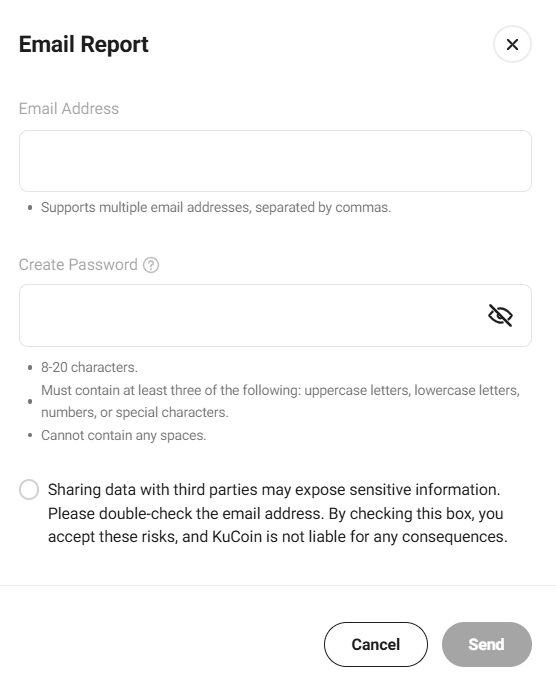
8. Send to Email Option
If you select “Send to Email,” a pop-up window will appear. Enter the recipient’s email address, followed by generating password to authorize the request. After that, click "Send".
o You can send the file to multiple email addresses by separating each address with a comma (,).