
Login Password
Login password will be required when you log in matter via KuCoin TH App or KuCoin TH web.
Content (Click to navigate)
How to Change Your Login Password
How to Reset your Login Password
1.How to Change Your Login Password
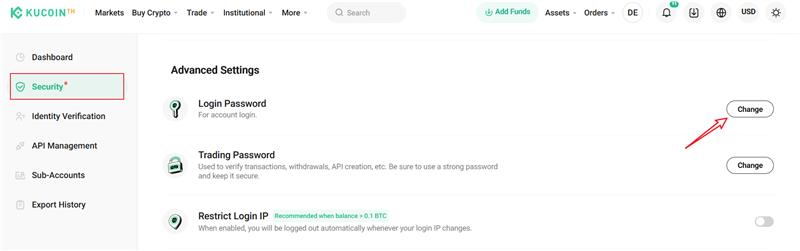
1.1 In Security Settings, hit the Change button next to Login Password
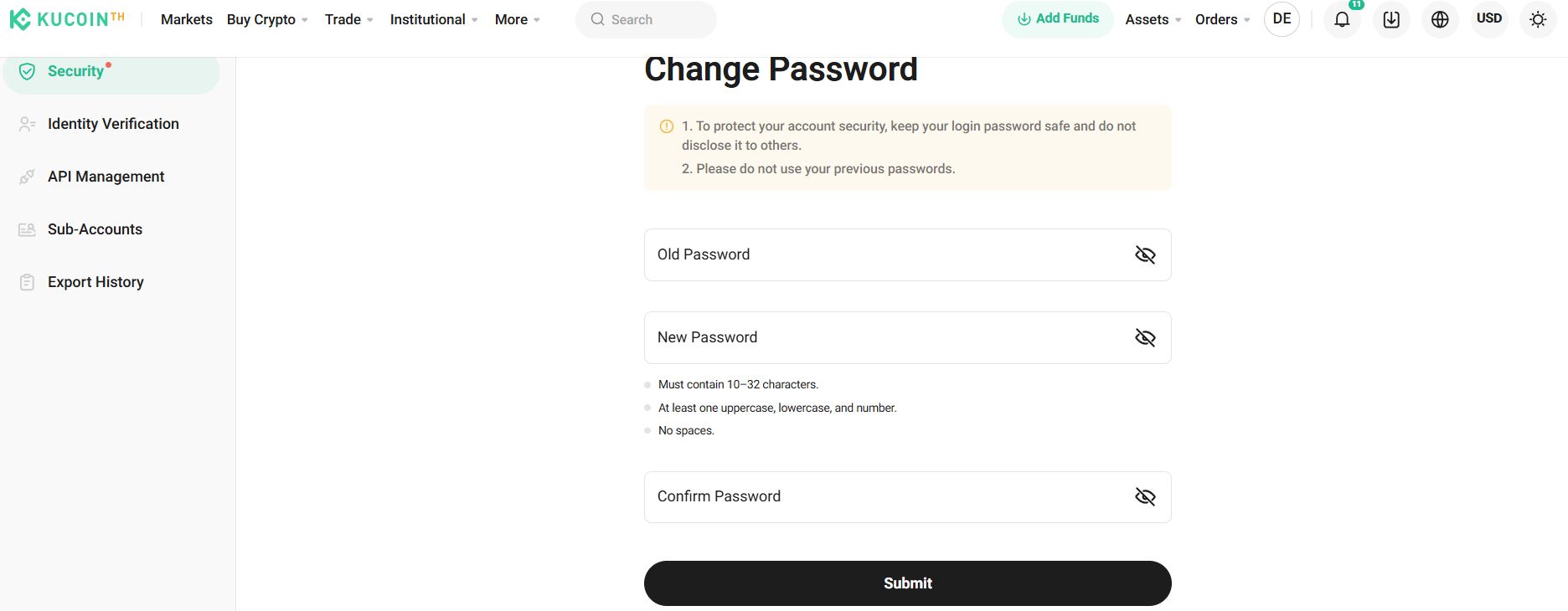
1.2 Enter your current password and the new password, then click Submit.
1.3 Your login password has been updated successfully.
2.How to Reset Your Login Password
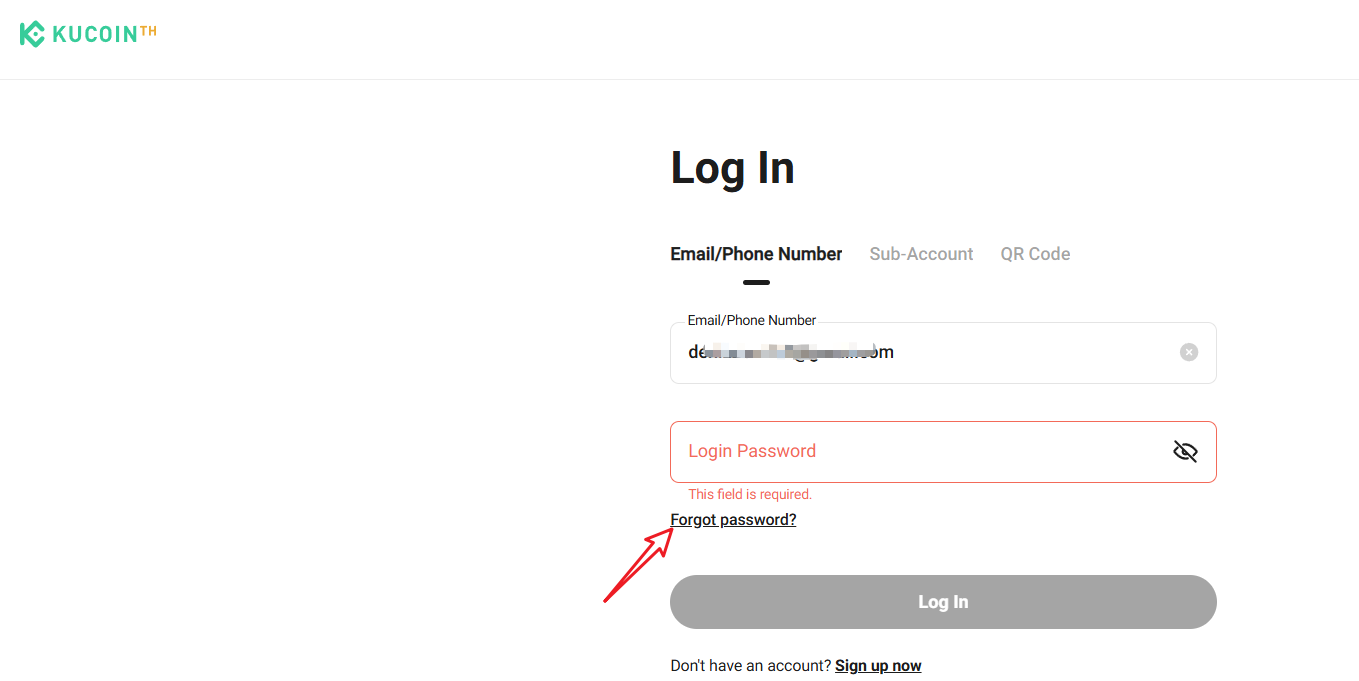
2.1 On the login page, hit the button Forgot Password?.
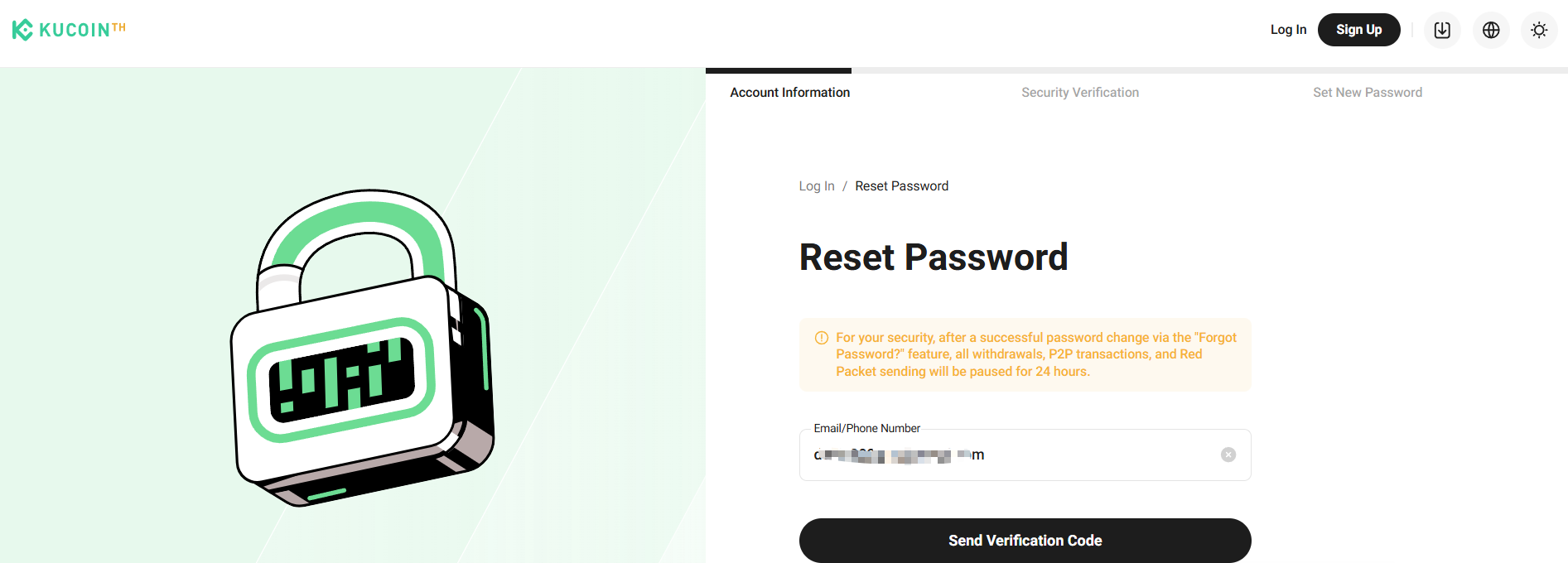
2.2 Enter the correct email address or phone number and select Send Verification Code.
2.3 Complete the security test by sending and entering your SMS verification code, or email verification code.
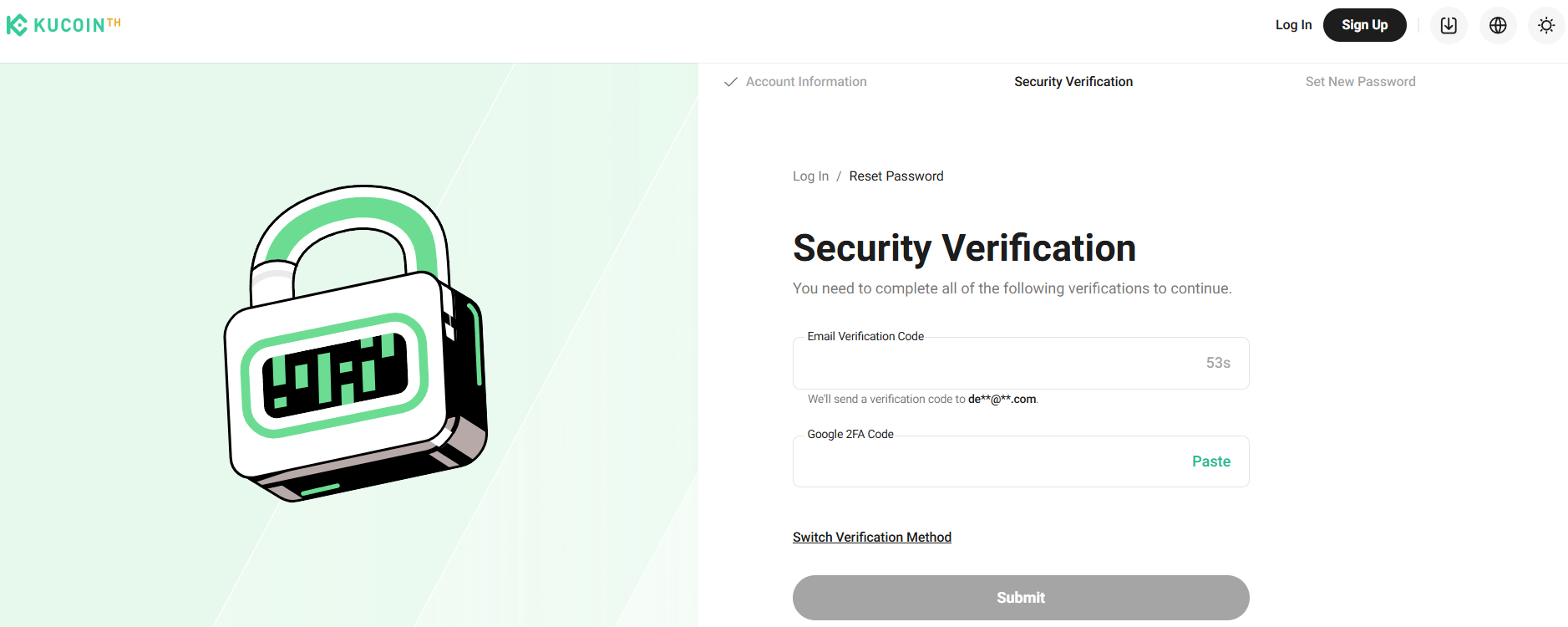
Note: Before entering your email/phone, make sure it’s the one you used to sign up with KuCoin TH. This verification code is valid for 10 minutes.
2.4. Set up a new password. Choose one that’s not too simple and keep it secure.
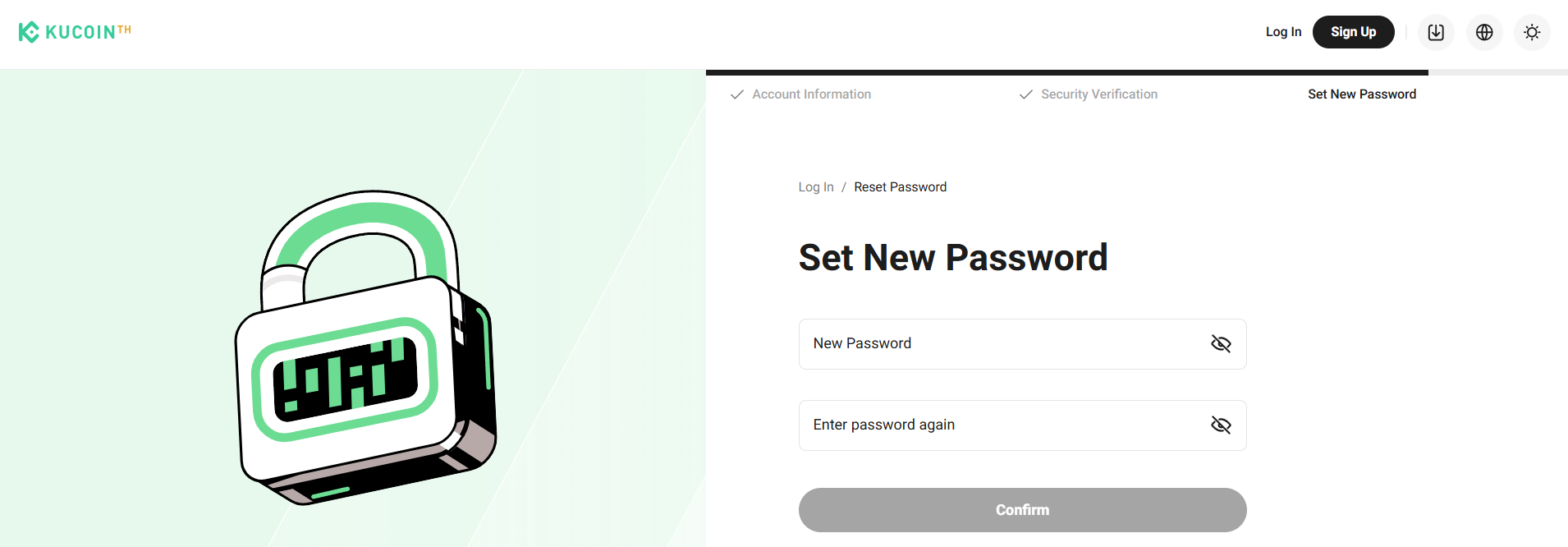
2.5 Your login password has been reset successfully. Please use the new login password to log in to your KuCoin TH account.
Important note:
Withdrawals would be disabled for 24 hours after changing your trading password to protect your assets.