
Trading Password
Your trading password is very important. When enabled, it’s used to verify all your transactions on KuCoin TH, including spot trading, as well as withdrawals and API-related actions. Remember or write down your trading password securely. Here, we’ll help you on how to set, change, and reset your trading password.
1. How to Set up a Trading Password
2. How to Change Your Trading Password
3. How to Reset your Trading Password
1. How to Set up a Trading Password
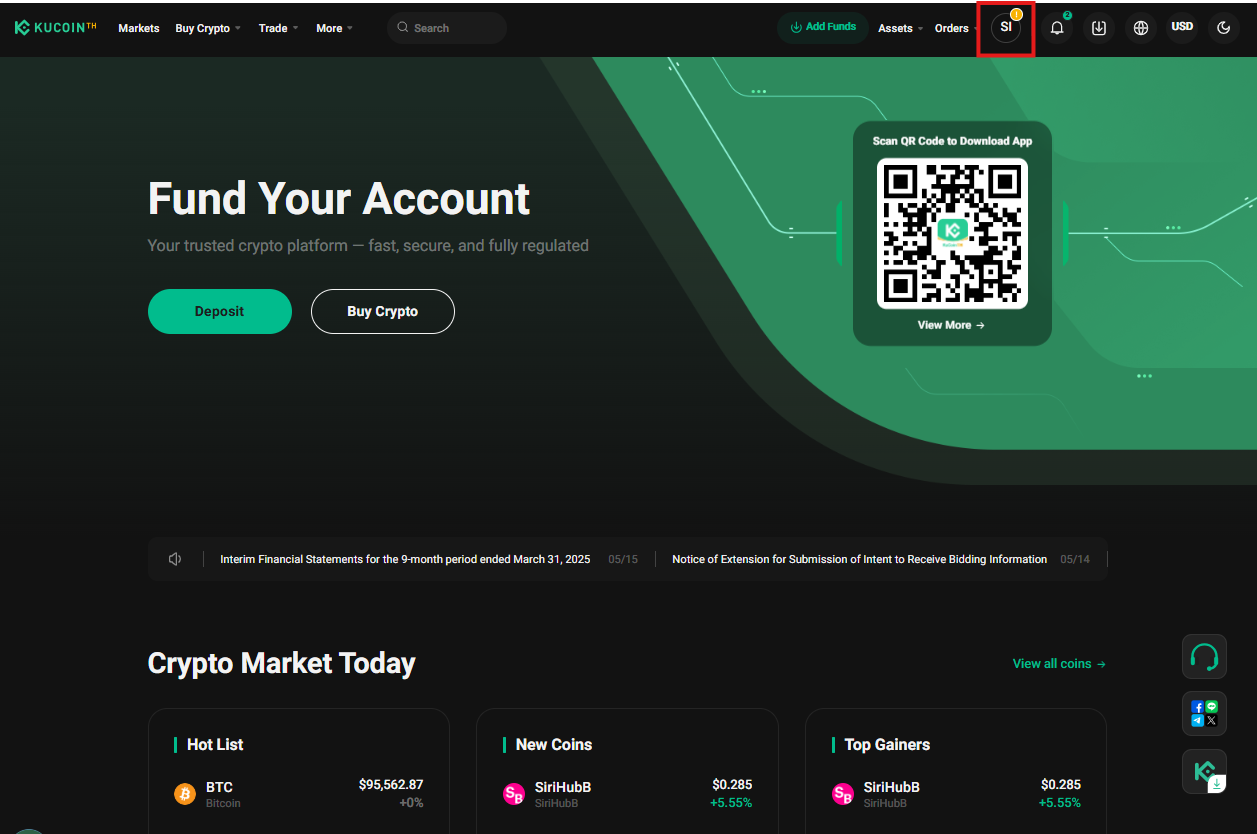
1.1 After logging in, go to your user profile.
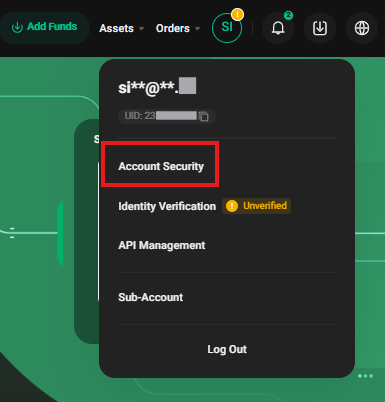
1.2 Navigate to "Account Security"
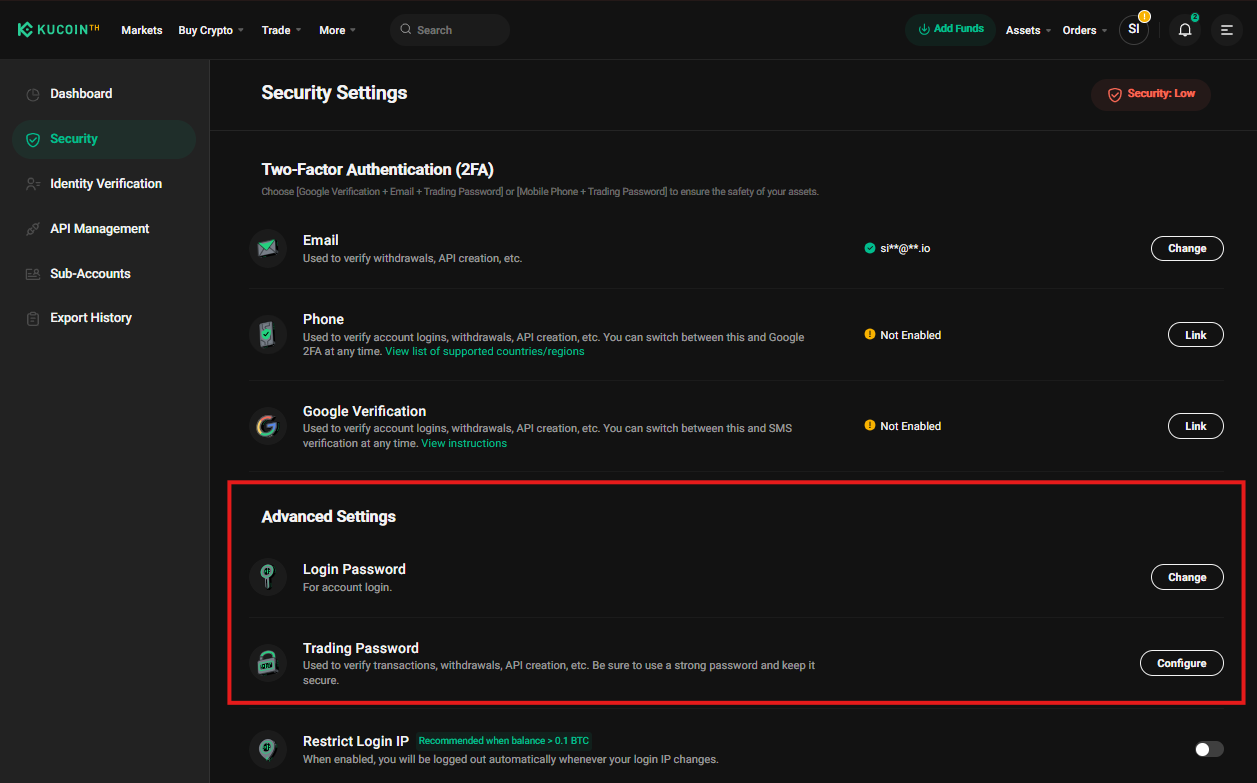
1.3 On the Security Setting page, go to Advanced Setting
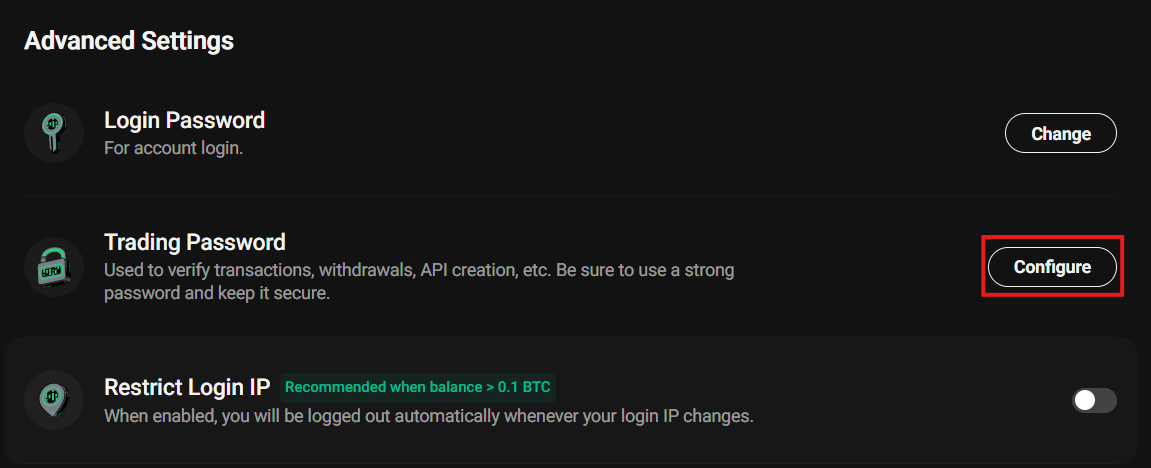
1.4 Select Trading Password and click "Configure"
1.5 You will be redirected to the "Security Verification" page. The system will send a verification code via Google Authenticator (2FA), SMS, or Email
For SMS and Email, Click "Send" to receive the code.
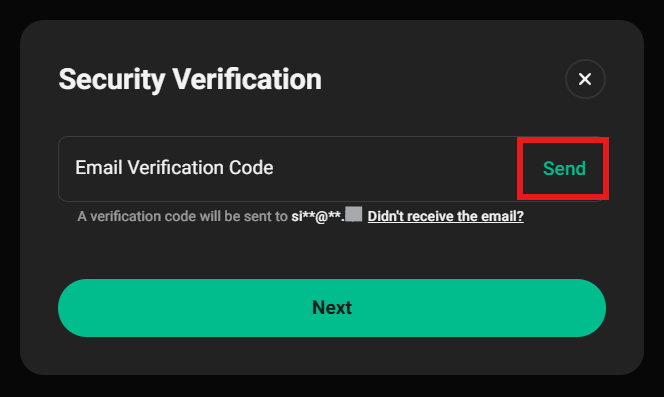
1.6 After entering the verification code, proceed to the "Set Trading Password" page.
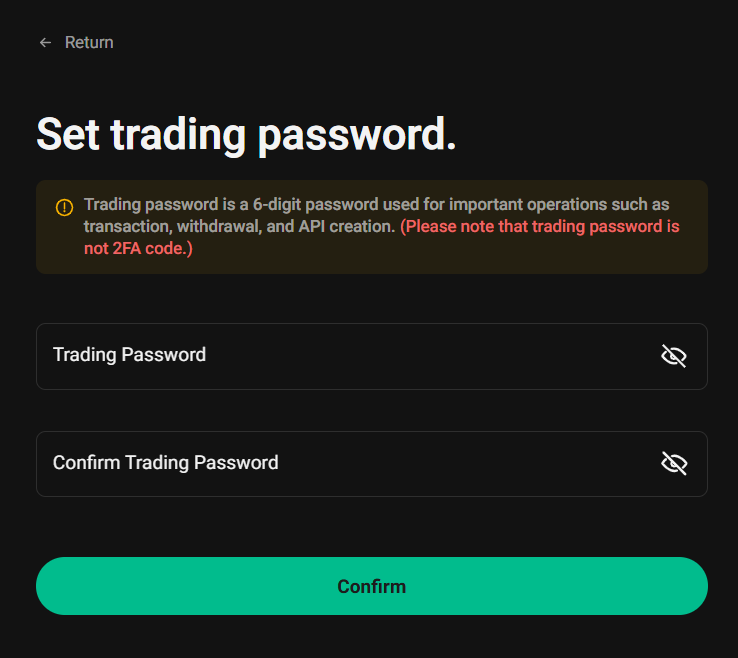
Password Requirements:• Must be a 6-digit numeric code with no letters or symbols. • Remember and keep your password safe, as it can only be recovered via two-factor authentication. (2FA). • KuCoin TH Happiness Team will NEVER ask for your Trading Password. Do not share it with anyone. |
Enter your new Trading Password, confirm it, and click "Confirm" to complete the setup.
2. How to Change Your Trading Password
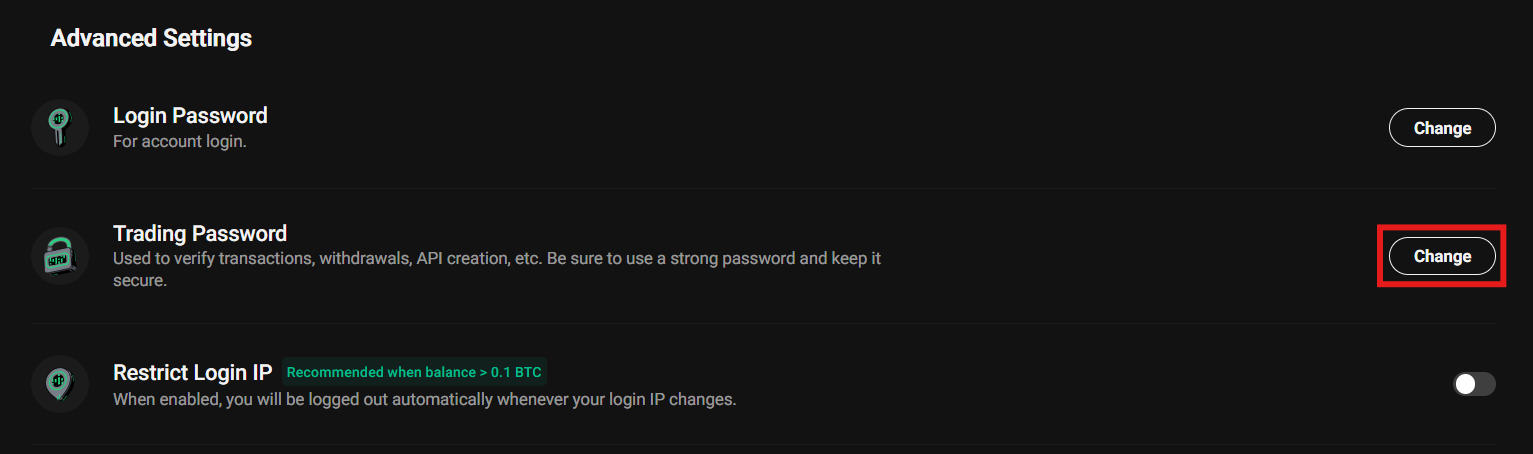
2.1 On the Security Setting page, go to Advanced Setting, Select Trading Password and click "Change".
2.2 A notification window will appear, then click "OK".
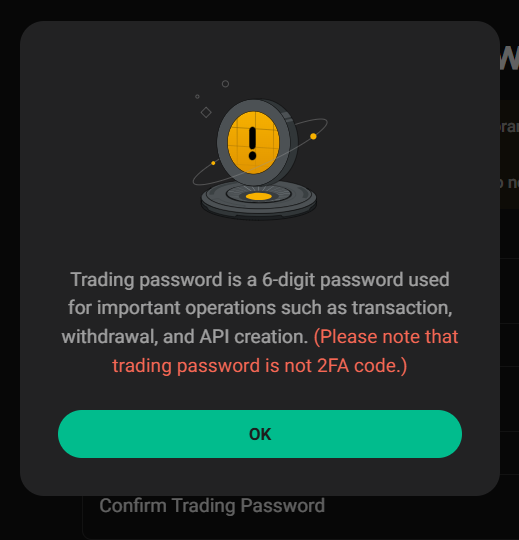
2.3 On the Change Trading Password page:
• Enter your current Trading Password.
• Create a new 6-digit Trading Password (following the Password Requirements).
• Re-enter the new password for confirmation.
Click "Confirm".
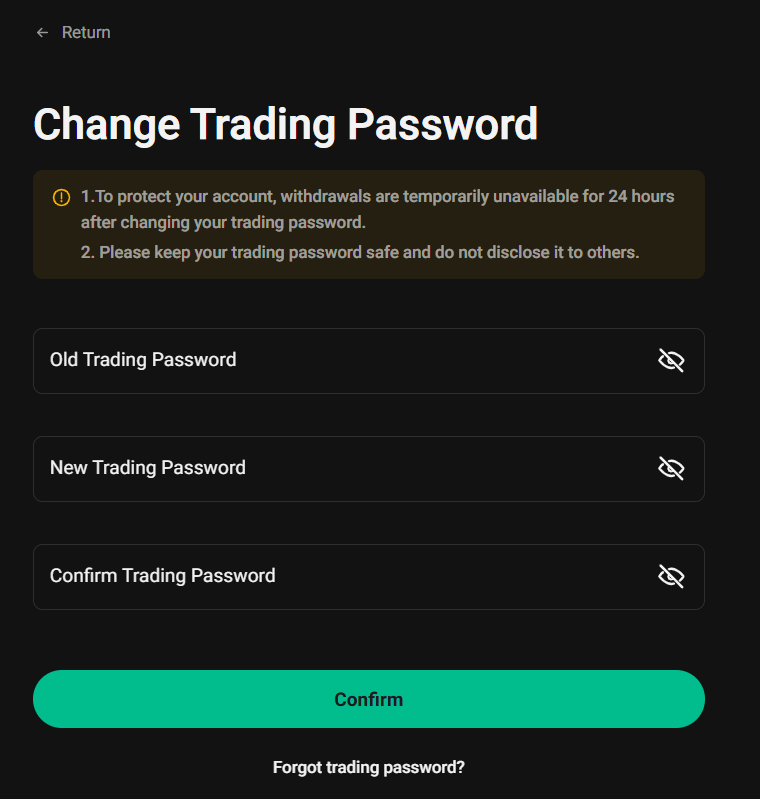
2.4 Once your Trading Password has changed, you will receive an email notification: "Trading Password Changed".
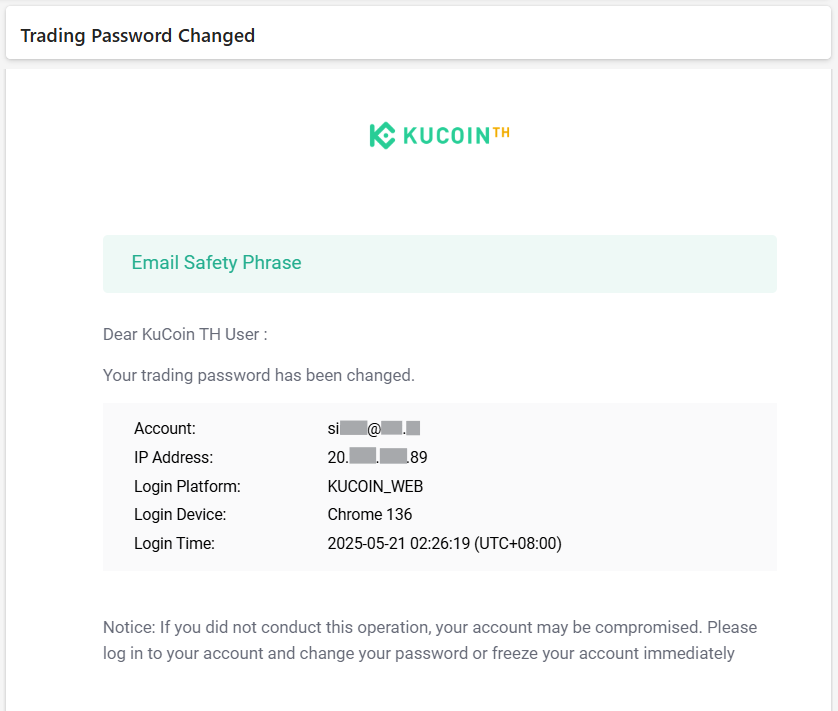
|
Notes: • Once changed, your trading password is effective immediately. |
3. How to Reset Your Trading Password
If you forget your Trading Password, you must submit a request for verification. Follow these steps:
3.1 On the Security Setting page, go to Advanced Setting, Select Trading Password and click "Change".
3.2 A notification window will appear, then click "OK".
3.3 On the Change Trading Password page, select "Forgot Trading Password?".
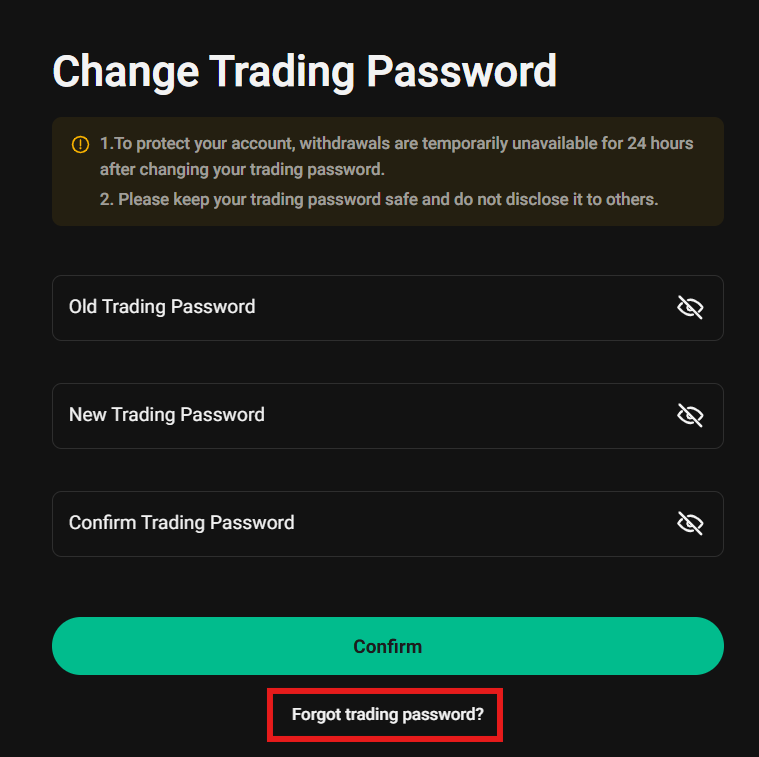
3.4 Complete Security Verification (via Google 2FA, SMS, or email). Click "Next" to receive the code.
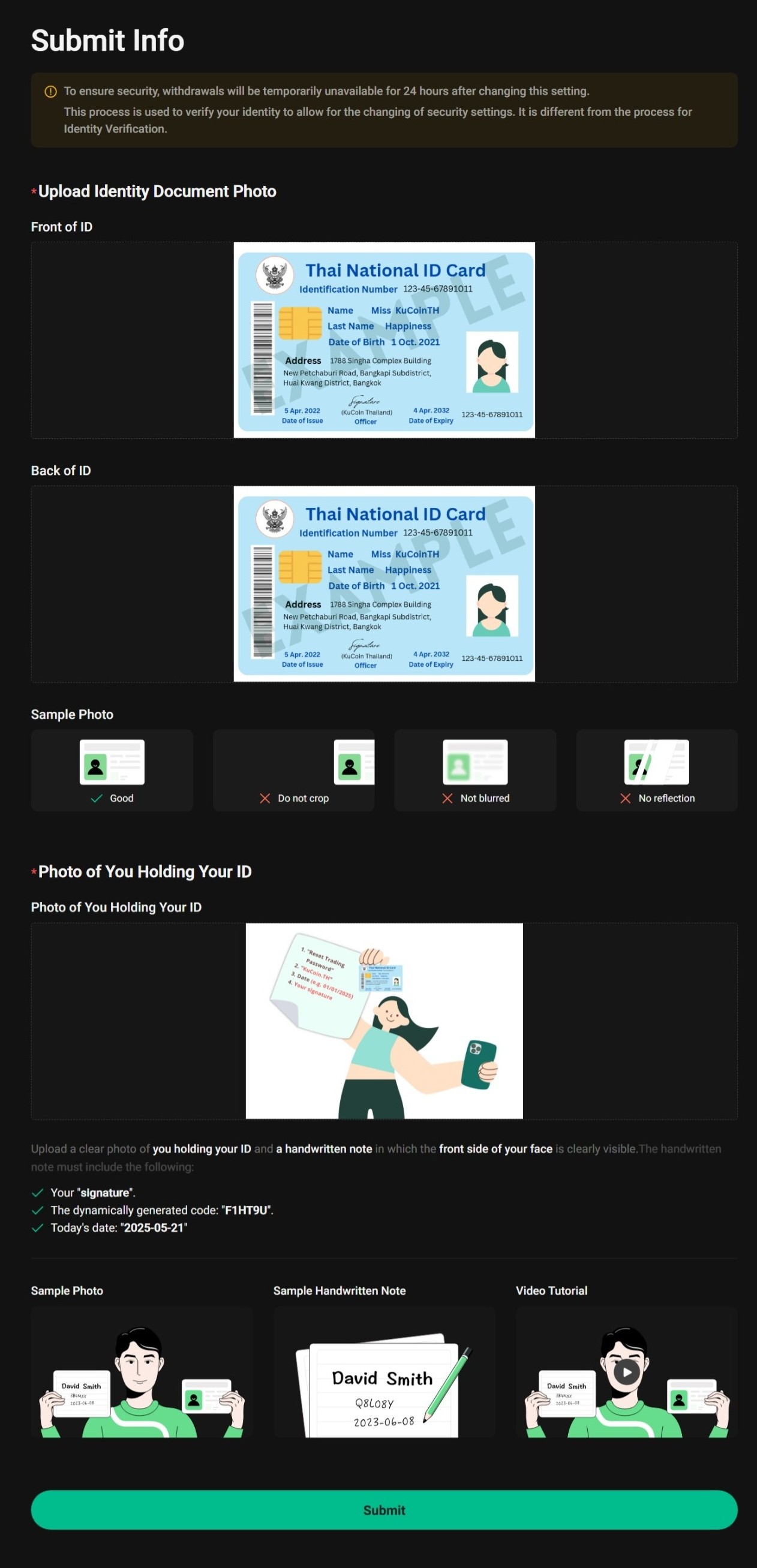
3.5 Fill out the Reset Trading Password Request form and upload the required documents:
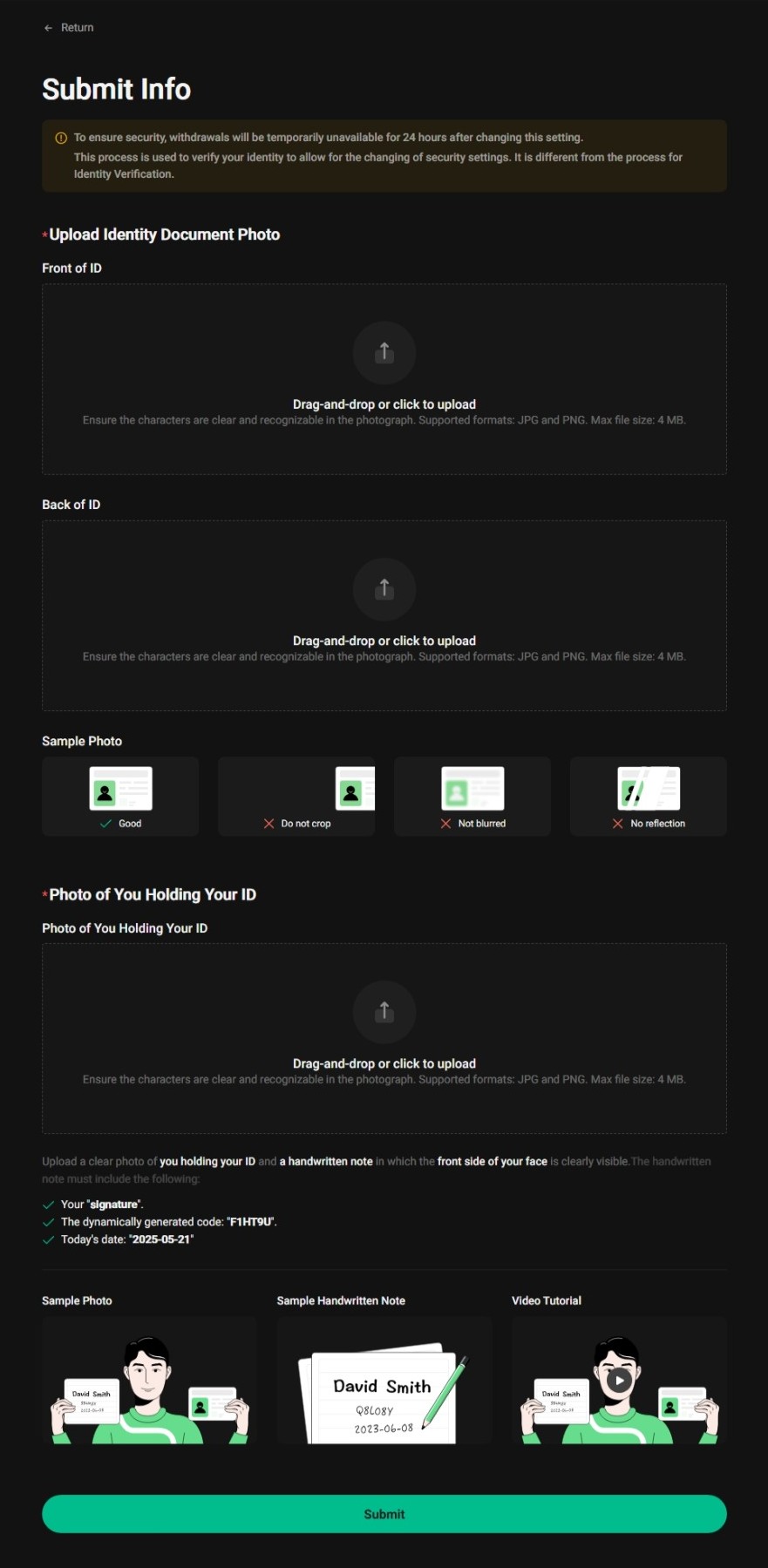
1) Upload Identity Document Photo:
- Front of ID: Frontside of your ID (National ID card, or Driver’s License).
- Back of ID: For the Thai National ID card no need to upload the backside. (you may re-upload the front).
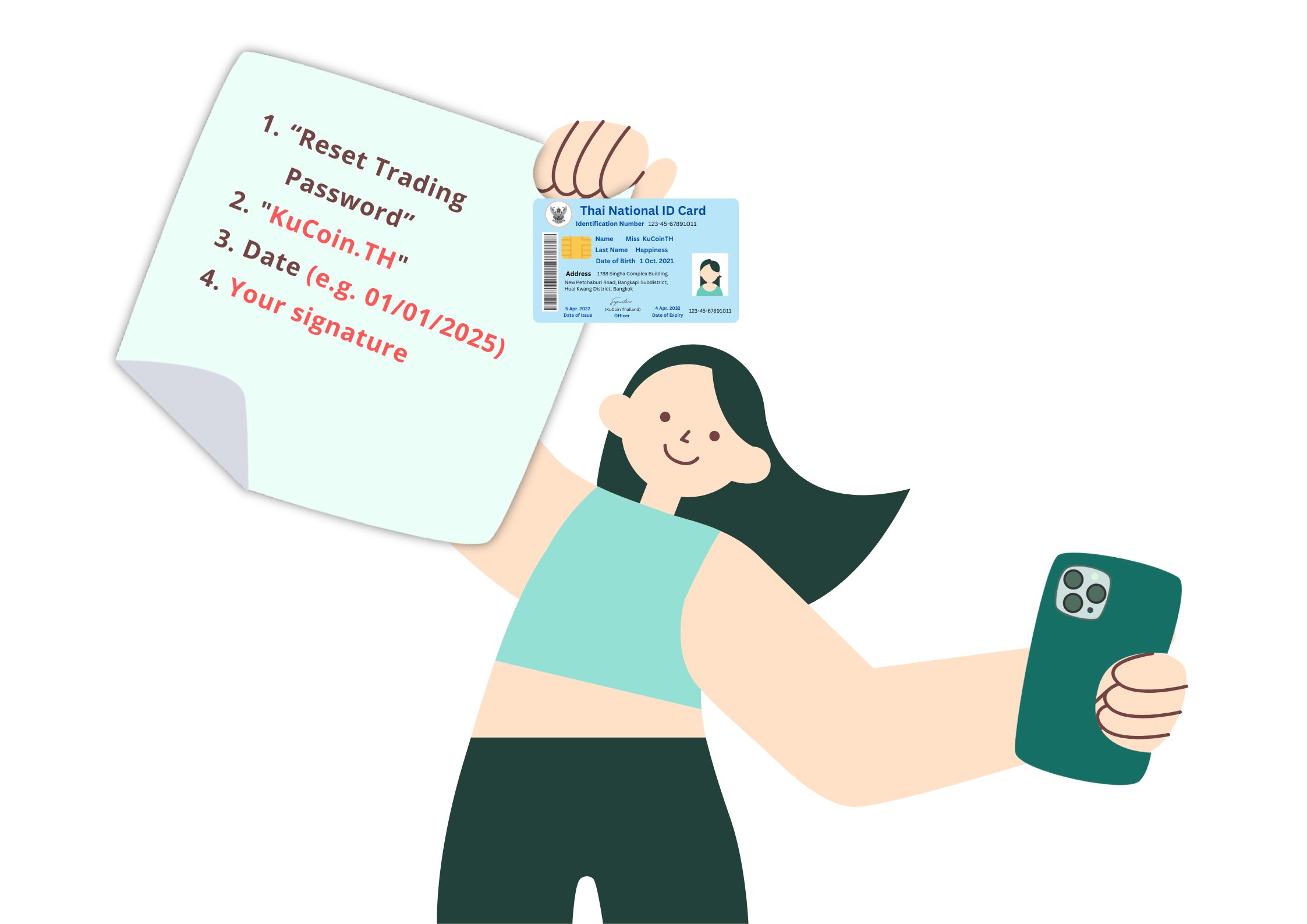
2) Photo of You Holding Your ID:
- Your valid ID card.
- A paper or any tools written with:
1. “Reset Trading Password”
2. "KuCoin.TH"
3. Date (e.g. 01/01/2025)
4. Your signature
- A clear photo of yourself:
- Please hold a piece of paper or device displaying the required text (as specified above) along with your ID document. Take a photo that clearly shows your face, ID, and notes all in the same frame.
Example for reference:
3.6 Upload the documents and click "Submit".
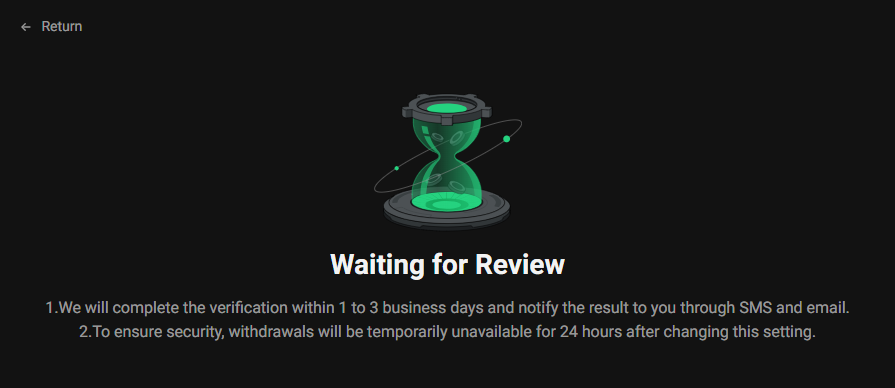
3.7 Contact KuCoin TH Happiness Team for verification. Processing takes 1-3 business days.
Notes:
• When completing Identity Verification, upload the required photos and follow the instructions on the page closely, or your request may be rejected.
• Withdrawals service will be disabled for 24 hours after changing your trading password to protect your assets.
• The password reset is effective immediately upon completion. Refresh or restart the page after receiving a confirmation email.
• If you’ve forgotten your trading password and also lost 2FA access to your account, reach out to our KuCoin TH Happiness Team for assistance.