How to Spot Trade on KuCoin TH
Spot trading involves buying or selling assets, such as cryptocurrencies and fiat currencies, at the current market price. The asset delivery often takes place immediately once the order is fulfilled.
Content (Click to Navigate)
Spot Trade on KuCoin TH Website
1.How to Spot Trade on KuCoin TH App
Step 1: Log in to the KuCoin TH app and go to Trade-Spot page
This will take you directly to the trading page. 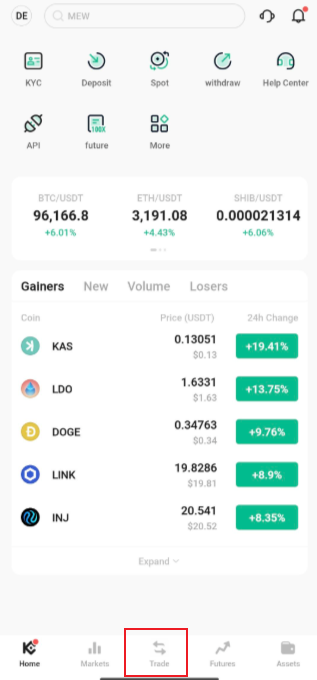
Step 2: Choose a Trading Pair
On the trading page, search for the trading pair you wish to trade with. To trade BTC for example, you would type "BTC" into the search bar.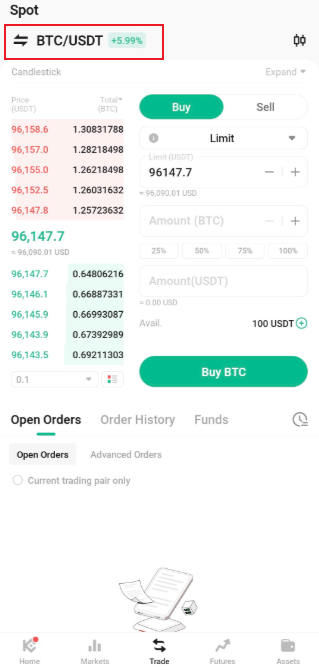
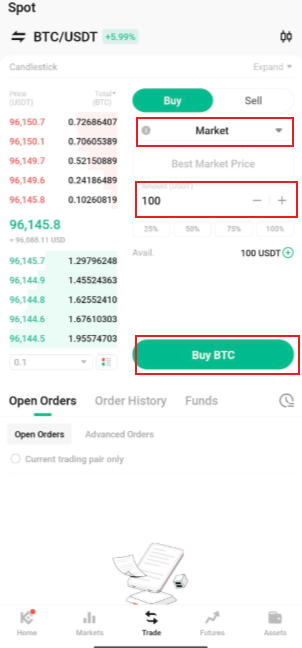
Step 3: Placing an Order
At the right of the trading interface, you'll find panels to buy or sell. There are eight order types you can choose from. These are limit orders, market orders, advanced-limit orders, stop-limit orders, stop-market orders, one-cancels-the-other (OCO) orders, trailing stop orders, and TWAP orders.
2.How to Spot Trade on KuCoin TH Website
Step 1: Access KuCoin TH website
Look for Trade in the top navigation bar, then select Spot Trading. This will take you directly to the trading page.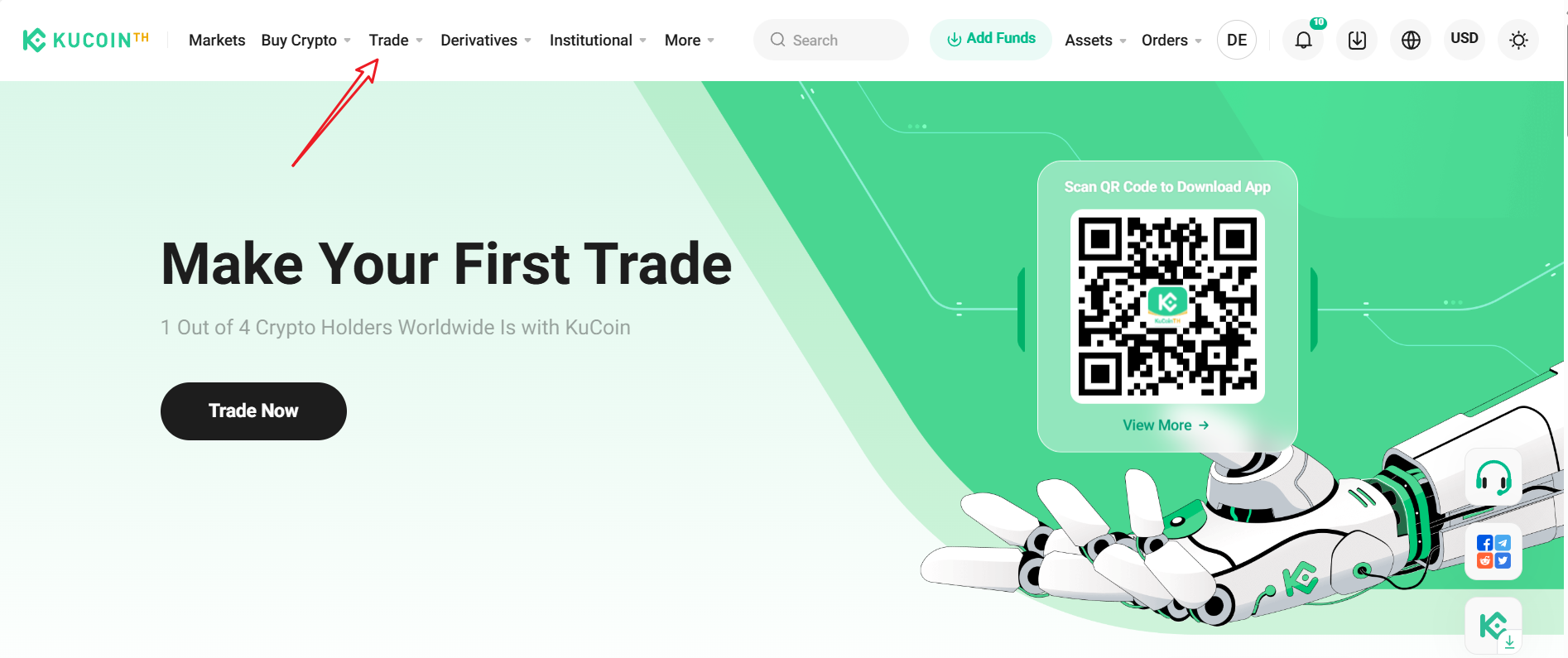
Step 2: Choose a Trading Pair
On the trading page, search for the trading pair you wish to trade with. To trade BTC for example, you would type "BTC" into the search bar.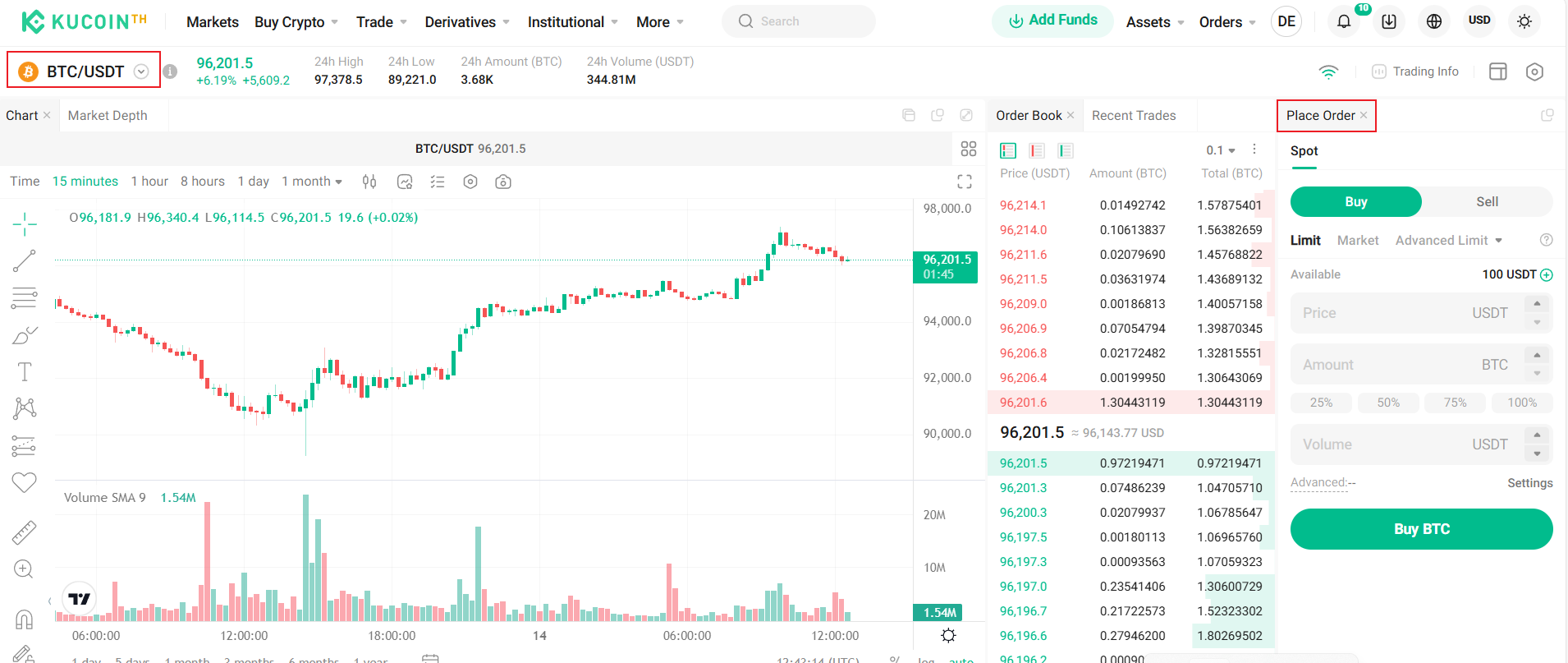
Step 3: Placing an Order
At the right of the trading interface, you'll find panels to buy or sell. There are eight order types you can choose from. These are limit orders, market orders, advanced-limit orders, stop-limit orders, stop-market orders, one-cancels-the-other (OCO) orders, and trailing stop orders.
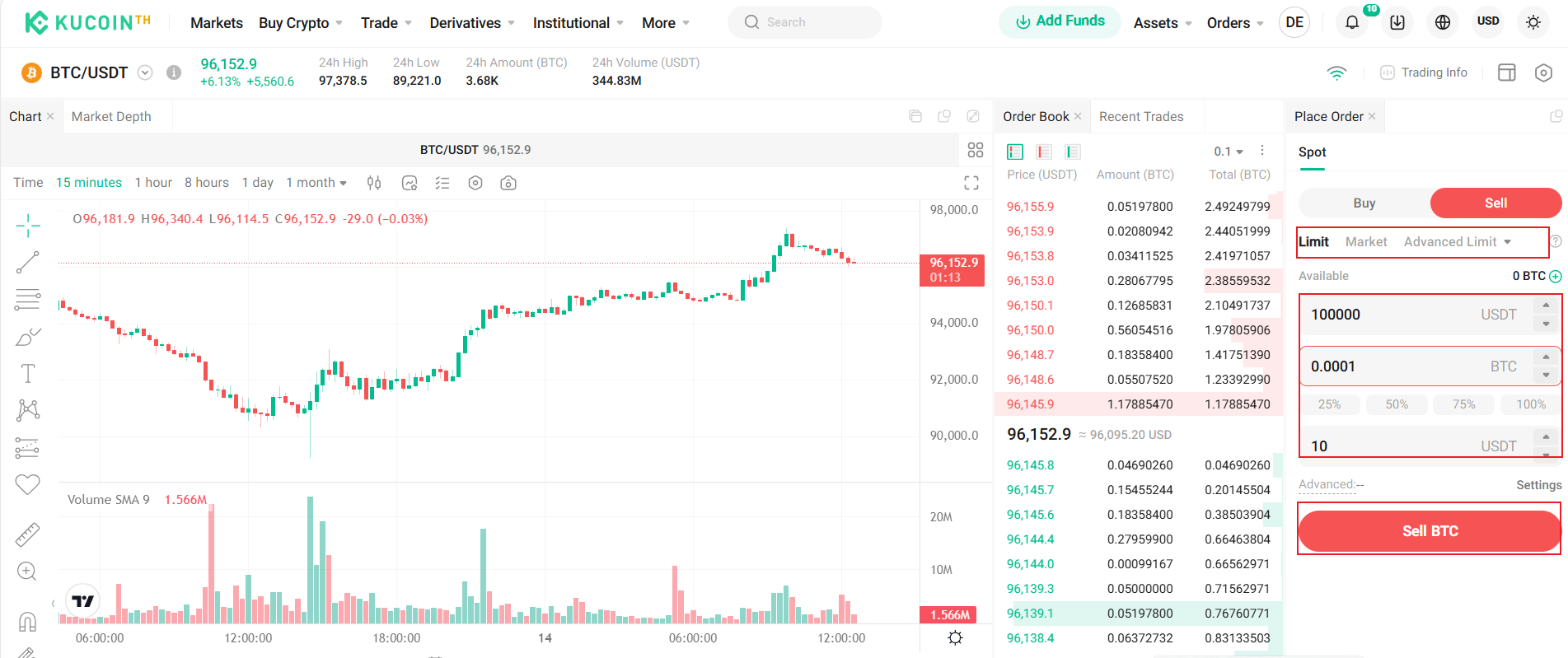
You can check the below article to know more about how to place each order type and how they work: