How to Deposit Crypto to KuCoin TH
Deposits involve transferring your existing cryptocurrencies to the KuCoin TH . Begin by withdrawing the assets from their original source, and then deposit them into your KuCoin TH account. Deposits made within KuCoin TH are labeled as “Internal Transfers”, while deposits from external blockchains are trackable in detail on the blockchain. Currently, you can perform direct deposits to your Funding Account, Trading Account, or Sub-Account.
How to deposit
1. Follow the instructions and complete Identity Verification (KYC). →Verify now
2. Once done, head to the deposit page to obtain the details needed to deposit your assets.
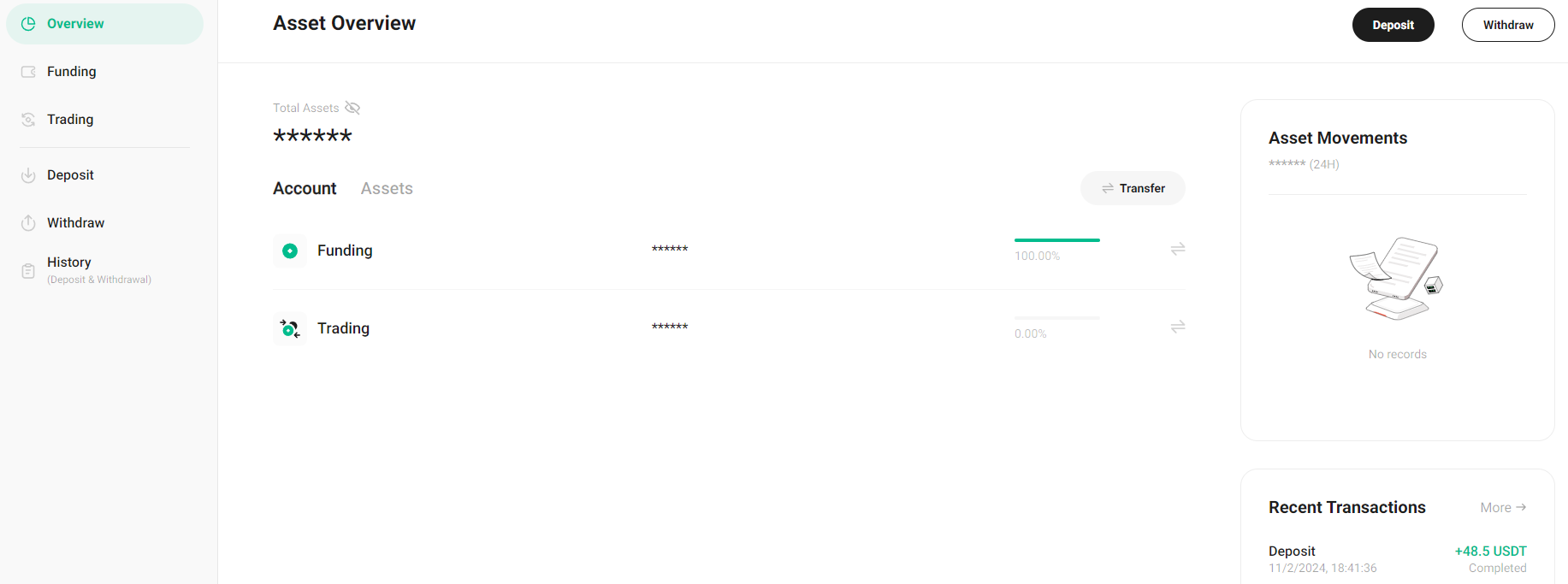
Web: From the top right navigation bar, select Assets → Deposit or click Add Funds
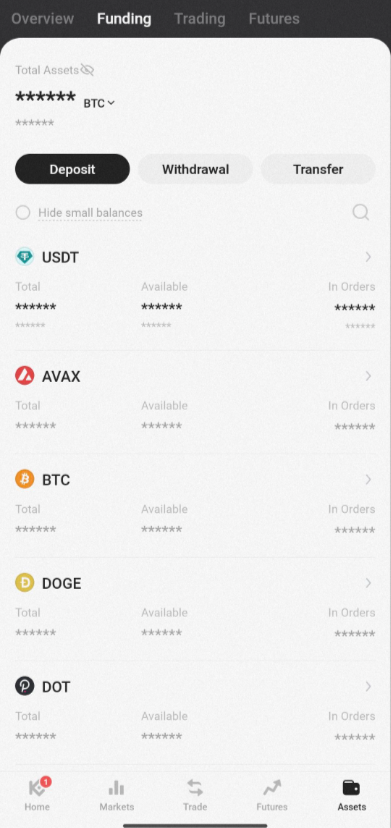
App: On the homepage, select Deposit from the grid. Or, select Assets → Deposit
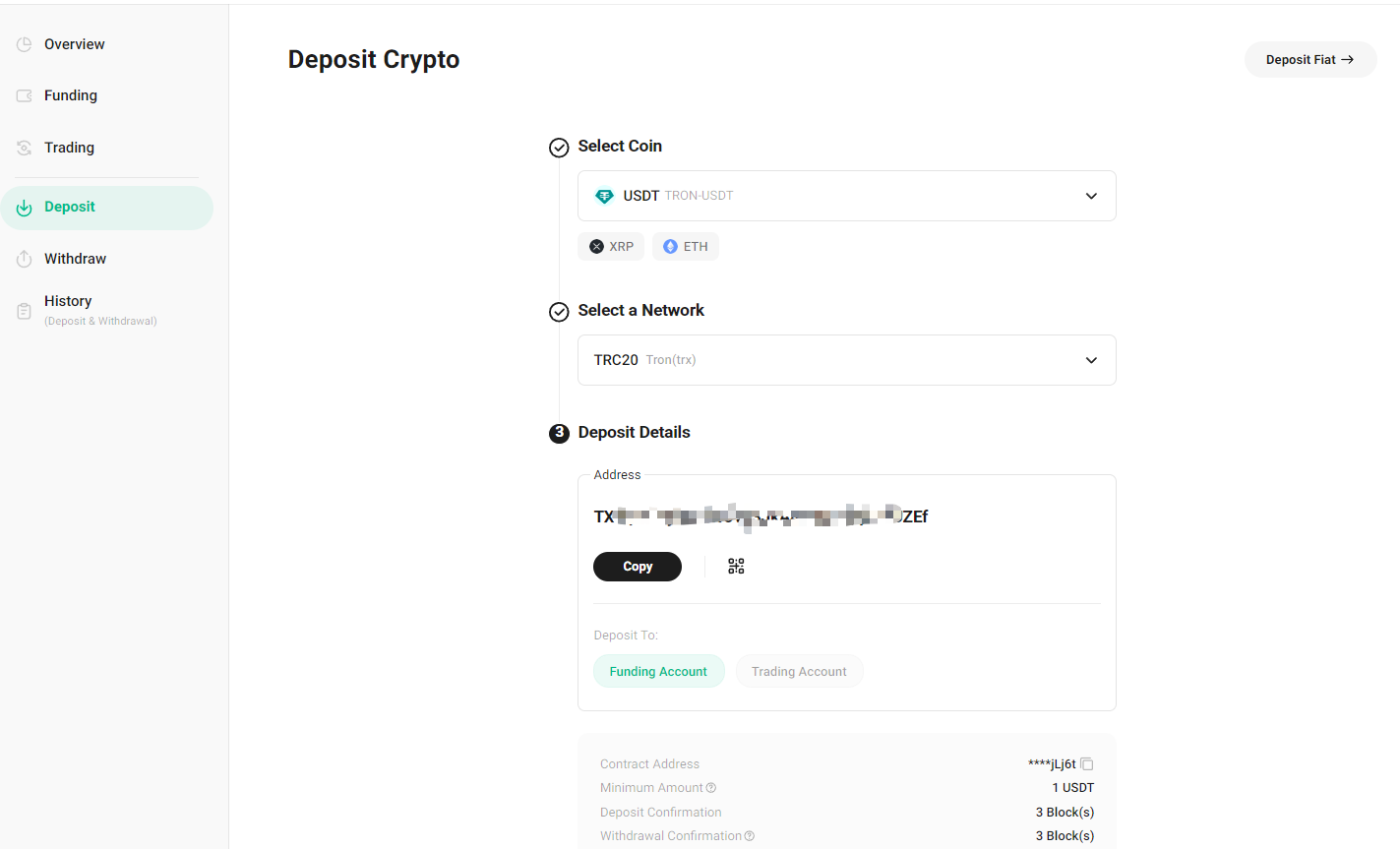
Next, enter the deposit page. Select the Coin from the dropdown or search it by name and select the Network. Then, choose the Account you wish to deposit into.
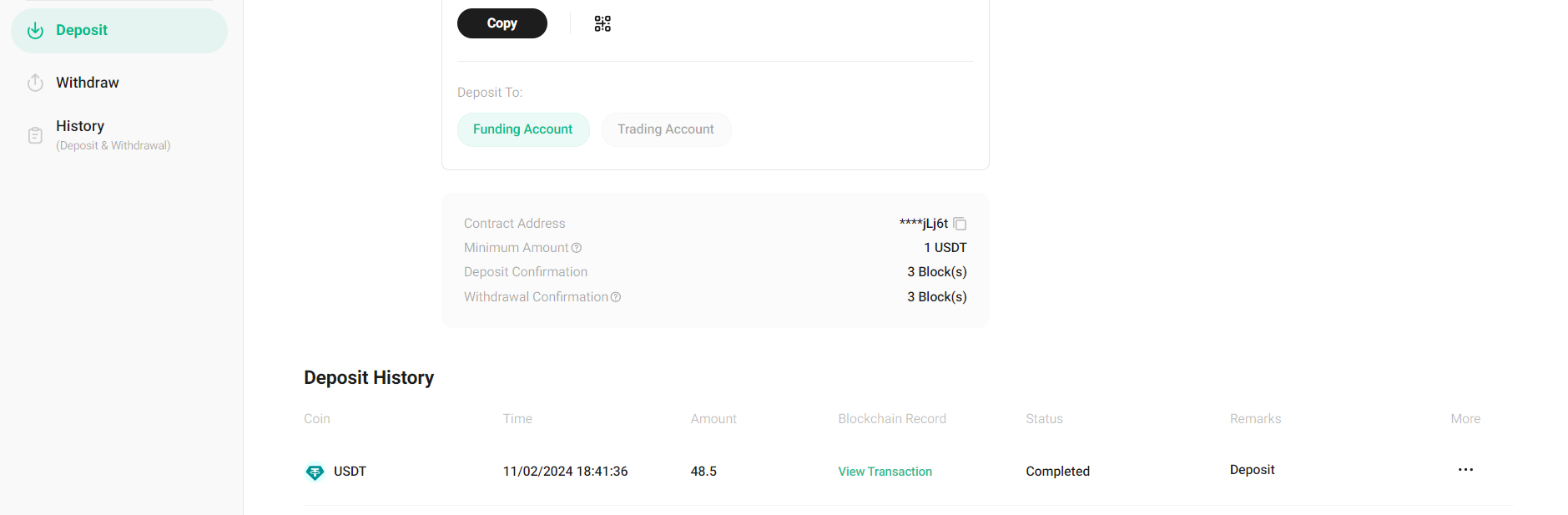
After copy your KuCoin TH account wallet address to sending platform and initiate a deposit request, the transfer would be processed by sending platform. Its confirmation time varies based on the current traffic on the blockchain network. Once confirmed, the funds will be credited to your personal KuCoin TH account.
You can check the status of your deposits under “Deposit History”. You’ll receive notifications on your deposit results via platform messages and email. You can also log in to the KuCoin TH platform to view your deposit history for the past year.
Important note:
- Choose the correct deposit network. The selected network must match the withdrawal platform's network. Otherwise, your funds may be lost and unrecoverable.
- The available networks depend on the external withdrawal wallet or those supported by other exchange platform. For example, if the external platform only supports ERC-20 networks, then you must choose the ERC-20 as your depositing blockchain.
- Do not merely pursue the lowest transaction fee network on the withdrawal platform for withdrawals. Instead, choose one compatible with the deposit platform. For instance, ERC-20 tokens can only be sent to other ERC-20 addresses, and KCC tokens can only be sent to other KCC addresses. Incompatible or mismatched networks will result in the loss of your funds.
- When withdrawing from sending platform to KuCoin TH, certain networks require you to include additional information, such as a memo or tag. Make sure you include it to prevent losing your assets. If you forgot or fill in the wrong Memo when making a deposit to KuCoin TH, the funds will not arrive in your account.
- All ERC-20 cryptocurrencies have their own unique contract address. This is essentially the identity code for the type of asset. Make sure the contract address of the asset you’re depositing matches the one listed on KuCoin TR. Do not enter the contract address as the deposit address on the withdrawal platform. This will lead to the loss of your assets.
Special Notes:
1. To ensure a smooth deposit, always check on KuCoin TH to see if the deposit function for the asset is active before sending any funds. Crypto types and networks are periodically maintained and may undergo upgrades.
2. Some currencies, such as BEP20-ETH, incur a deposit fee. Please check the details on the deposit page.
3. The USDT transaction fees for each individual chain are calculated based on the net deposit amount (deposits minus withdrawals) over a period. If the net deposit exceeds the free quota, an excess fee of 0.1% is charged. It's advisable to check your remaining free quota before making a deposit.
4. KuCoin TH supports specific blockchains for depositing digital assets, with some currencies only supported on the ERC-20 chain, and others only on the BEP-20 or main network chain. Please only use the supported blockchains to deposit your assets. If you’re still unsure if a blockchain is supported for a specific cryptocurrency, please check with customer support to verify.
5.To avoid asset loss, please deposit more than the minimum deposit amount required by KuCoin TH, as displayed on the page. You should also factor in the potential withdrawal fees from other platforms, which may cause the final deposit amount to be insufficient.
6.To improve your deposit experience, KuCoin TH now supports the early credit of certain assets once the minimum block confirmation requirements are met. Once you see the assets in your account, you can immediately trade or use them on our platform. Once there are enough block confirmations for the withdrawal, the deposited assets will be recognized by the exchange for your use.
Thanks for being with us, and we wish you a smooth deposit experience on KuCoin TH!